Manual EVOTOUCH v.5 82 / 104
4- START-UP AND ADJUSTMENTS
4.1- EVOTOUCH
4.1.1- Operation
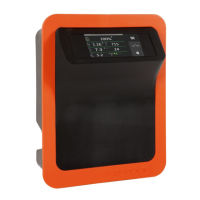
The EVOTOUCH series equipment has an LCD touch screen, in which you can
view and configure all operations of the equipment. The following table shows
how to organize the configuration menu of the equipment:
When browsing through the menus and go back to Main Screen is required,
tap on EXIT to come back. Also, you can get into Relay Menu or
Configuration Menu by using the bar on the right hand site.
Configuration Menu 2 is available by tapping on MORE bottom when the user is
in Configuration Menu 1. It is the same procedure to go back from
Configuration Menu 2 to Configuration Menu 1 by pressing BACK, in this case.
4.1.2- Main screen
On starting up the equipment, a screen will be displayed with the main
parameters.


 To Next Page