Manual EVOTOUCH v.5 90 / 104
In this menu, there is a CAL button which allows to calibrate the salt probe to
the correct value. Press + to increase the value or – to decrease. When the
value matches the previous analyzed sample, press ok.
Also, at the bottom line on the Main Screen will display Salt concentration if
Conductivity Kit is connected. It can measure 0 to 10g/L range, our optimum
operating range for the cell is from 4g/L to 8 g/L. Below this level of salt in the
swimming pool a warning message will come up on the Status Bar. “Too much
salt” will be displayed if probe readings are above 8g/L.
4.1.2.7 Relay status
The last line on the Main Screen will display Salt concentration if Conductivity
Kit is connected. It can measure 0 to 10g/L range, our optimum operating
range for the cell is from 4g/L to 8 g/L. Below this level of salt in the swimming
pool a warning message will come up on the Status Bar. “Too much salt” will be
displayed if probe readings are above 8g/L.
On the central section, relays status will be shown according to a colour code.
ON: Square lights up green.
OFF: Square is off.
AUTO: Square has green board line.
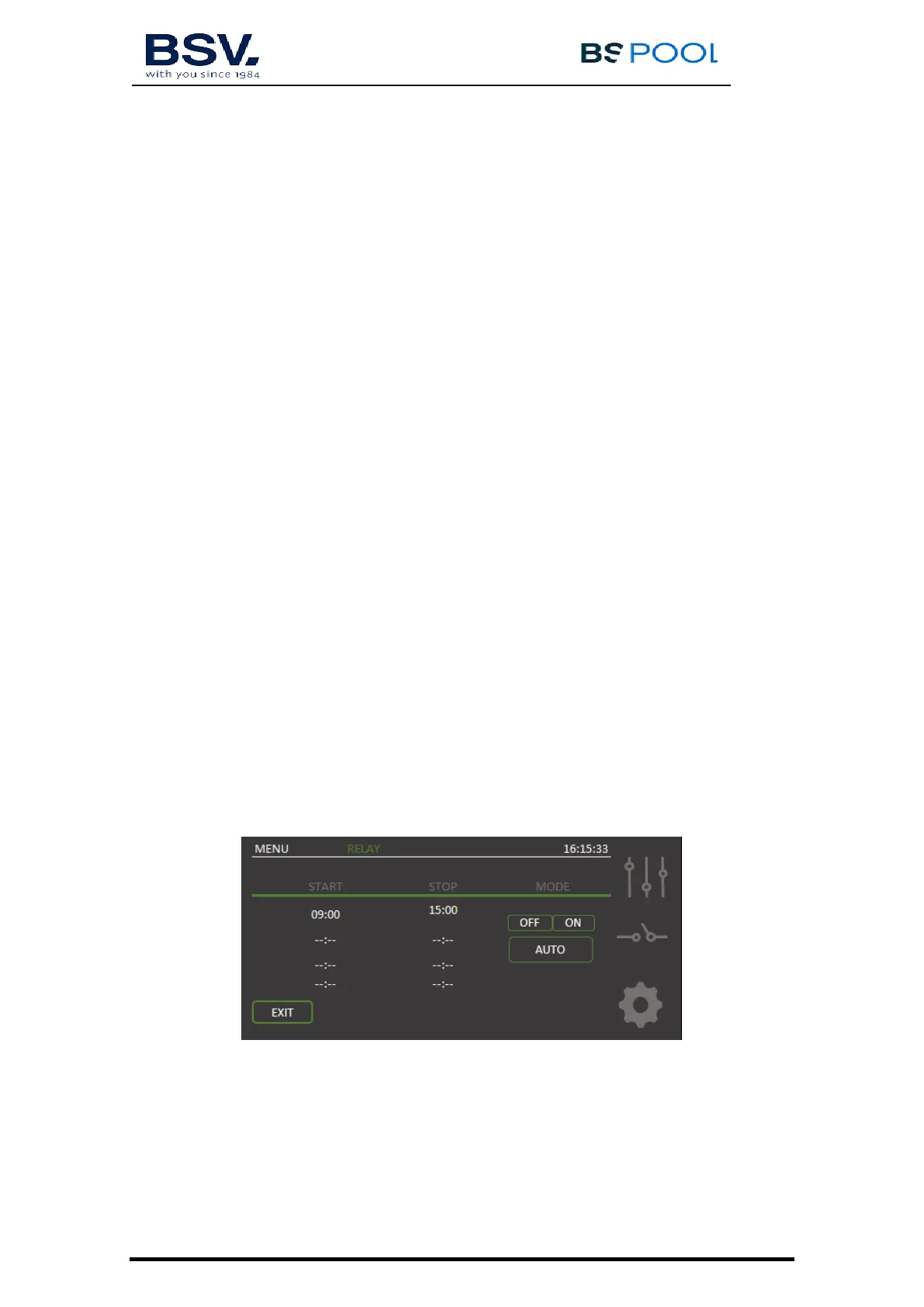
4.1.3 Relays Menu
In this menu, four potential free relays can be manual controlled or
programmed for the day.
It allows four different programming cycles. The user needs to set up a start
time and end time. Clock must be configured correctly before starts
programming relays.


 To Next Page