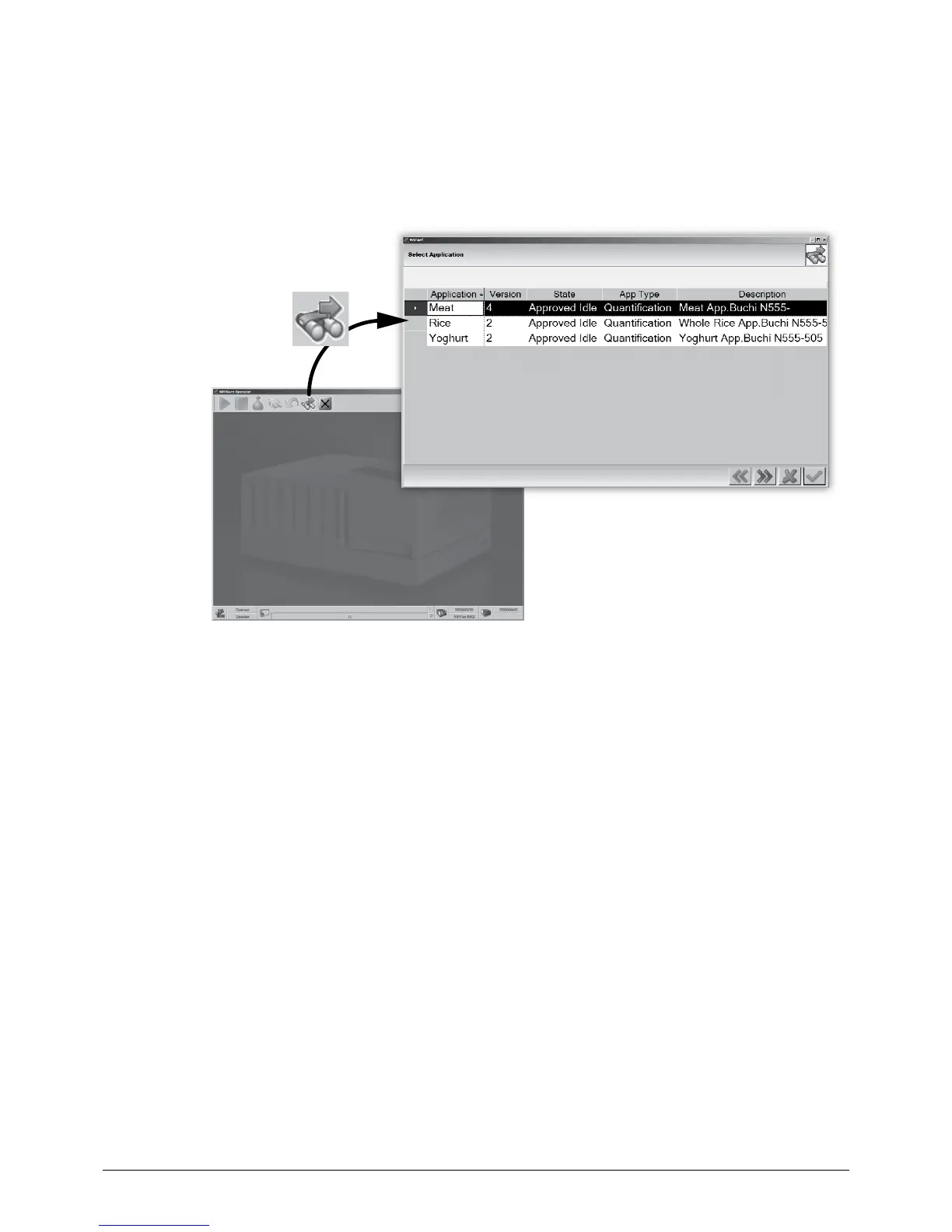
6.5.1 Step 1 — Select an application
After login, Press the ‘Wizard’ button to start the software wizard. The application manager appears
in a pop-up window. Select the matching application for the actual sample. Press the ‘Next’ button to
proceed with the batch manager or close the wizard with the ‘Exit’ button.
NOTE
• Only applications dedicated to the NIRMaster will be shown.
• Some applications require special measurement setups. Adapt the setup accordingly to the
measurment accessories (e.g. Spinner or XL-add-on)!
• In case the application does not match for the sample material, contact the local application
specialist.














 To Next Page