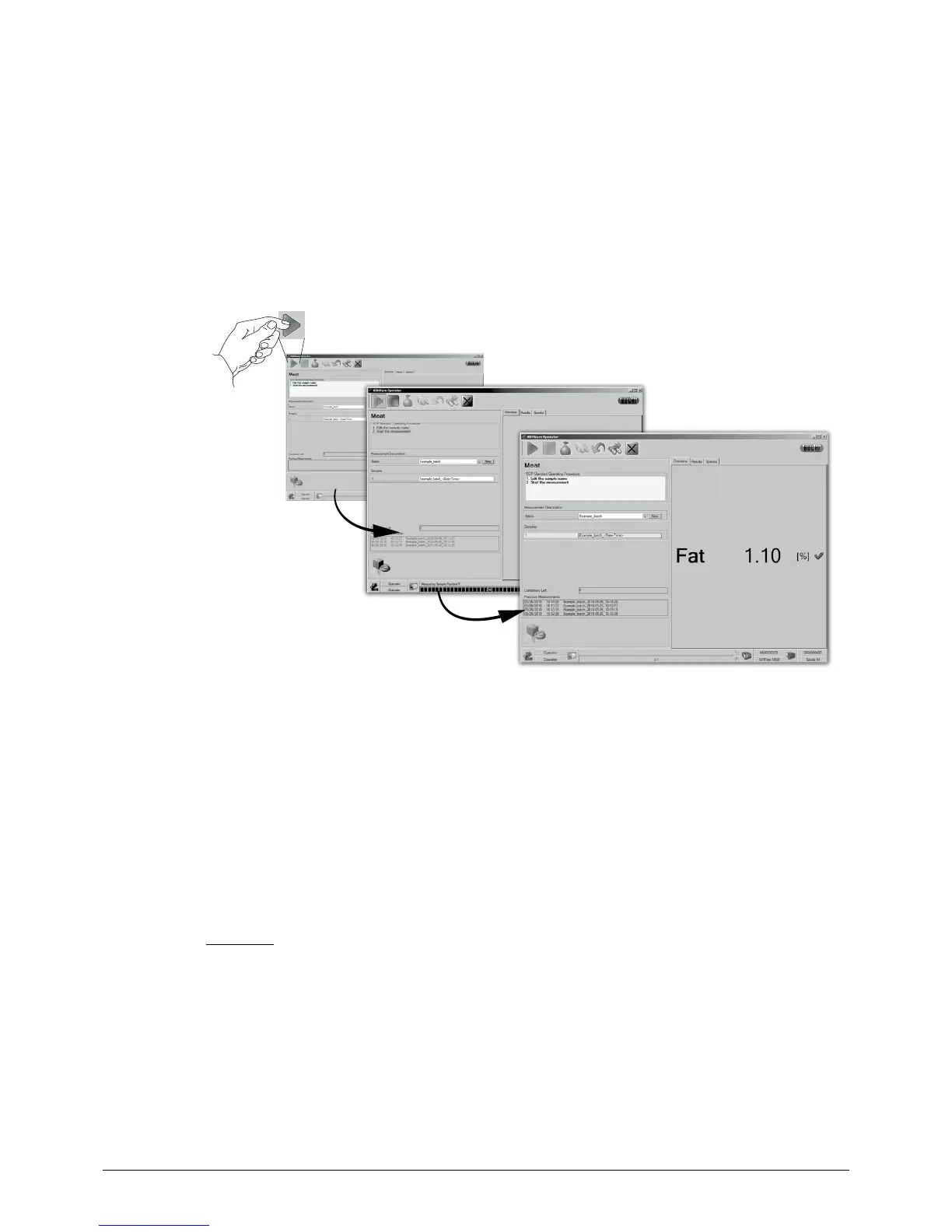
6.5.3 Step 3 — Perform a measurement
By standard, a reference measurement is requested prior to the first sample measurement (see
section 6.3, Reference measurements). After referencing, the sample has to be placed into the inter-
ferogram beam at the sample window.
• Place the sample material onto the sample window of the NIRMaster according to the chosen
measurement setup.
• Press the ‘Start’ button. A progress bar at the window bottom informs about the status!
• After the measurement, the result will be displayed.
Start...
...in progress...
...result!
NOTE
Fully automated internal referencing will be done in specified time intervals without any user interac-
tion.
6.5.4 Step 4 — Result handling
A measurement can either be within calibration, action and warning range or fail when out of range.
NOTE
The action and warning ranges can be set according to custom quality needs by the NIRWare admi-
nistrator!
Valid result
If a result is valid, its value will be displayed prominently. Use the tabs to browse between different
views!














 To Next Page