6.6 Shutting down the NIRMaster
6.6.1 Standard shutdown instructions
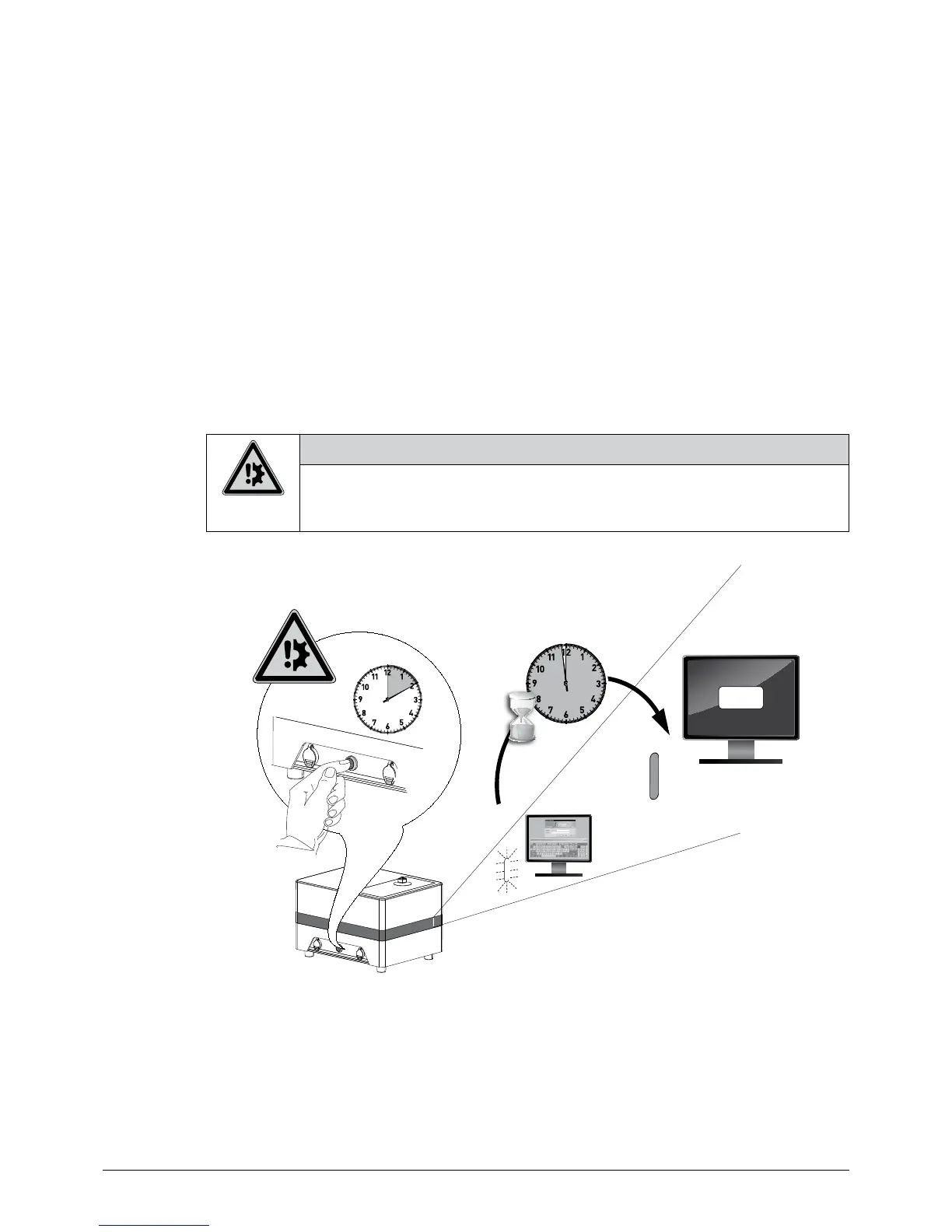
Press the on/off button on the left side of the instrument for 1 – 3 seconds to switch off the NIRMaster.
Subsequently, the embedded Windows will shutdown the computer, spectrometer and internal elec-
tronic. In case the shutdown procedure is interrupted and in case of a power outage the embedded
Windows and especially the internal database with applications and user data may be damaged!
6.6.2 Forced power-off instructions
Note, that a forced power-off might damage the data integrity of the database and program routines.
Thus, a forced power-off (by pressing the power button for >10 sec.) must only be performed in case
the system is not responding to the standard shutdown procedure described previously!
NOTICE
Risk of software damage and data loss at power outage and forced shutdown.
• Do not actuate the power button for more than 3 seconds to allow safe shutdown procedure
• Do not interrupt the power supply while the power LED is active
OFF
> 10 sec.
NOTE
The use of an uninterruptible power supply can minimize the risk of system damage in case of an
electrical power outage.














 To Next Page