6.5.2 Step 2 — Select / create a batch for the sample
The batch manager is a convenient tool to handle batch production.
Select or create a batch
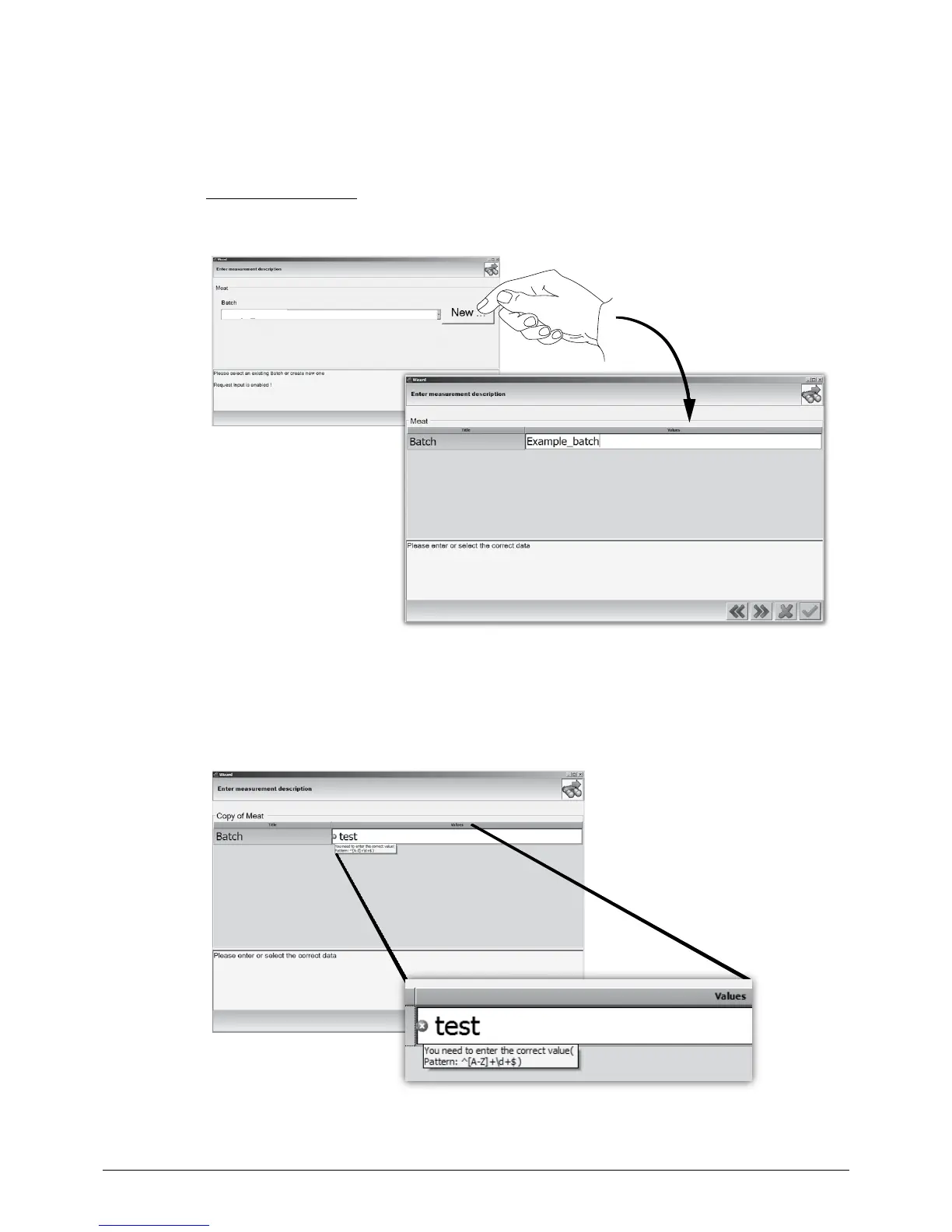
Use the drop-down menu to select an entry from the list of available batches or press the ‘New’
button to generate a new entry and to enter a batch name.
For enhanced process safety, the useable character set (e.g. capital letters only or limited letter-figure
combination) of a batch can be predefined by a NIRWare administrator for each application sepa-
rately.
If the new entry contains a character (which is not valid for the selected application) the batch cannot
be stored and must be adapted according to the help text pattern.
NOTE
Contact the local NIRWare administrator for more information about valid batch entries!














 To Next Page