06/23
23
The
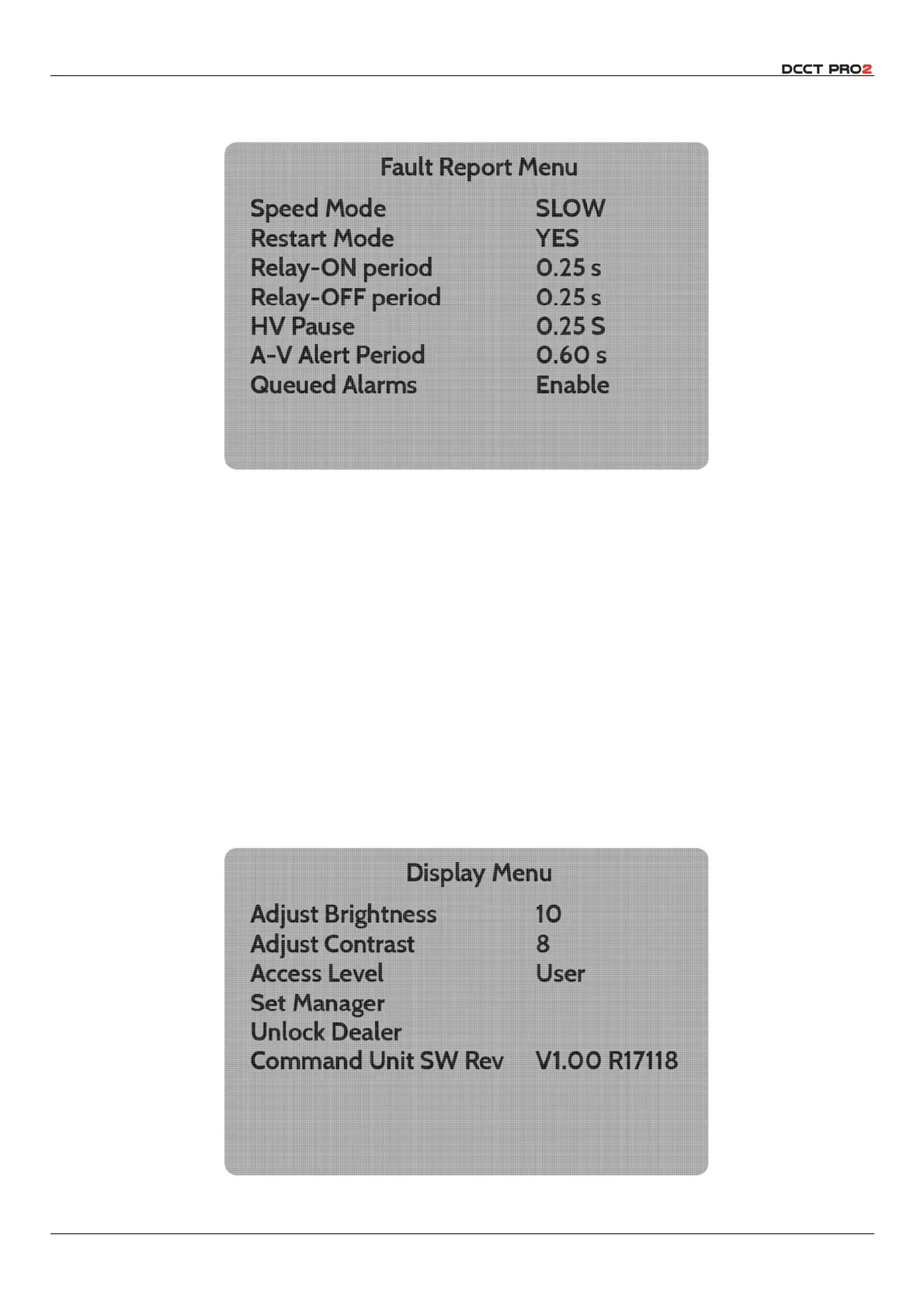
Fault Report Menu
offers control of the relay timing as discussed above (please refer to Figs 8 & 9
and associated text above)
Fig 24 – Fault Report Menu
The menu items are accessed in the normal way, and the
d
and
e
buttons allow the parameters to
be selected from the menus provided. The periods for
Relay-ON
and
Relay-OFF
,
HV Pause
and
AV
Alert
are adjusted as described above for the
Voltage Set Point
(see Fig 20)
Operating Mode
offers two options –
Full Custom
, or
BS EN 62230
. In the custom option, it is possible to
select and modify all the parameters of the instrument operation. As noted above, the
BS EN 62230
option will pre-set the instrument parameters to ensure that operation is compliant with that
specification, and modification of the parameters is disabled. This provides a convenient set-point to
which the instrument can be quickly and easily returned, should this be convenient. Resetting the
instrument to
Full Custom
allows the user to modify all the parameters, starting from the pre-set settings.
Note that this will overwrite any settings that may have been previously saved.
Latching HV Button
allows user selection of latching or momentary operation of the front panel HV
enable button. This will also affect any remote button connected.
Selection of
Display Menu
will open a further sub-menu which offers control of screen Brightness and
Contrast in the same way as the alarm Volume is adjusted (please see Fig 23)
Fig 25 – Adjust Screen (Volume, Brightness, Contrast)



 To Next Page