Additional programming options
8
Logamatic 4321/4322 - Technical specifications are subject to change without prior notice.
60
Entering the first set point (Monday – Friday, 5:00 am (05:00 h) 70 °F
(21 °C))
You can select days individually or in blocks:
– Monday – Thursday
– Monday – Friday
– Saturday – Sunday
– Monday – Sunday
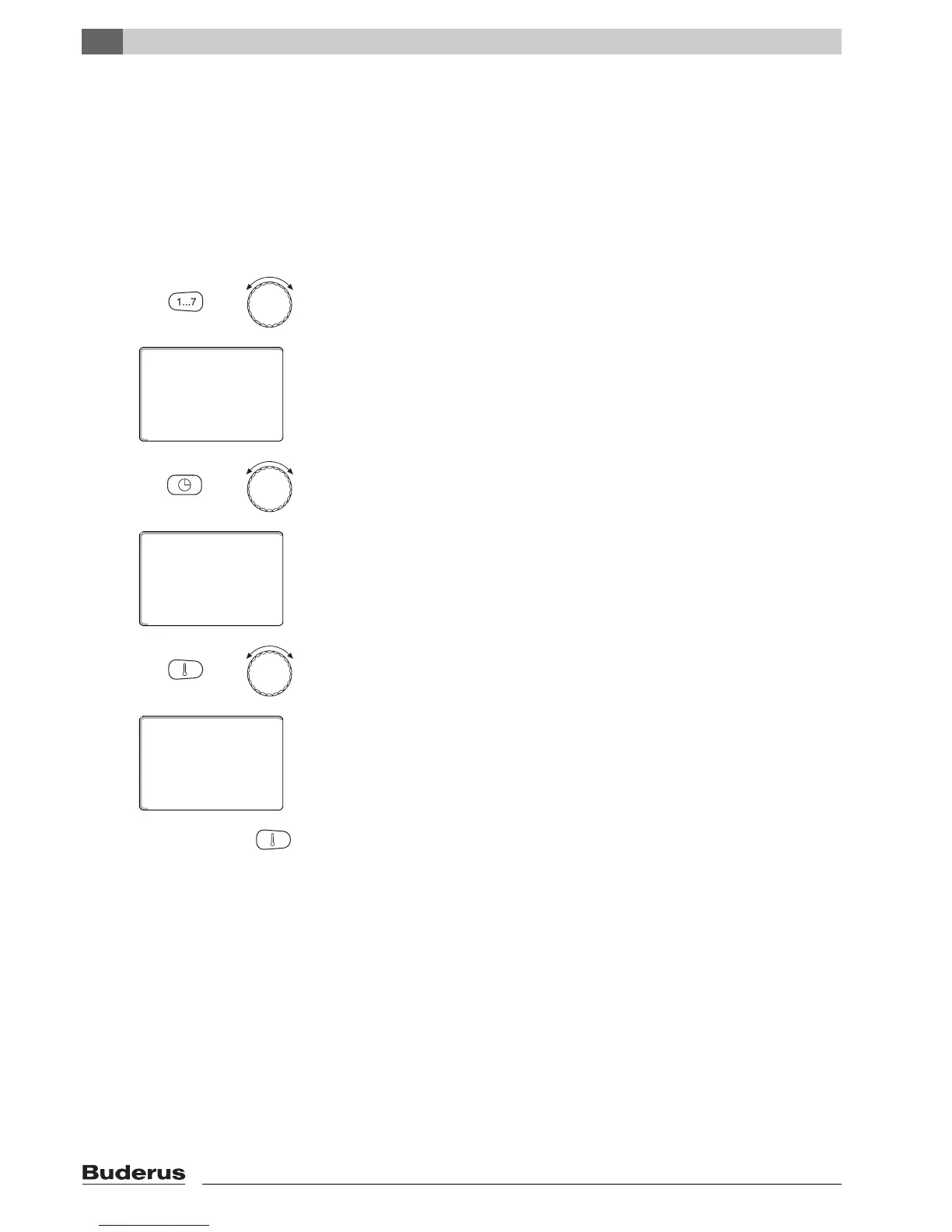
Hold down "Weekday" and select the desired day or block with the dial (here:
"Mon - Fri").
Release "Weekday" to save your input.
Hold "Time" down, and select the desired time with the dial (here: "05:00am"
(05:00)).
The display shows the new set point.
Release "Time" to save your input.
Hold "Temp" down, and select the desired temperature with the dial (here:
"70°F" (21°C)).
You cannot freely enter any temperature here. Only the factory-set day and
night
temperatures are available, which you can, however, modify yourself
(Æ Chapter 6.4).
Release "Temp" to save your input.
+
new set point
Mon - Fri
----
at ---
+
new set point
Mon - Fri
----
at 05:00am
+
new set point
Mon - Fri
70°F
at 05:00am



 To Next Page