POWER
SECURITY
WEIRELESS
ROUTER
DIAG
ROUTER
POWER
INTERNET
LAN
1
2
3
4
ON
OFF
AUTO
2) disconnect
modem
2) disconnect
1) turn o the computer
computer
OFF
Conrm that the
switch is positioned to
[AUTO].
modem
LAN cable
1) connect
2) connect
AirStation
INTERNET port
- 12 -
Chapter 3 - Installation
Initial Setup
Using AirStation as a Router or an Access Point
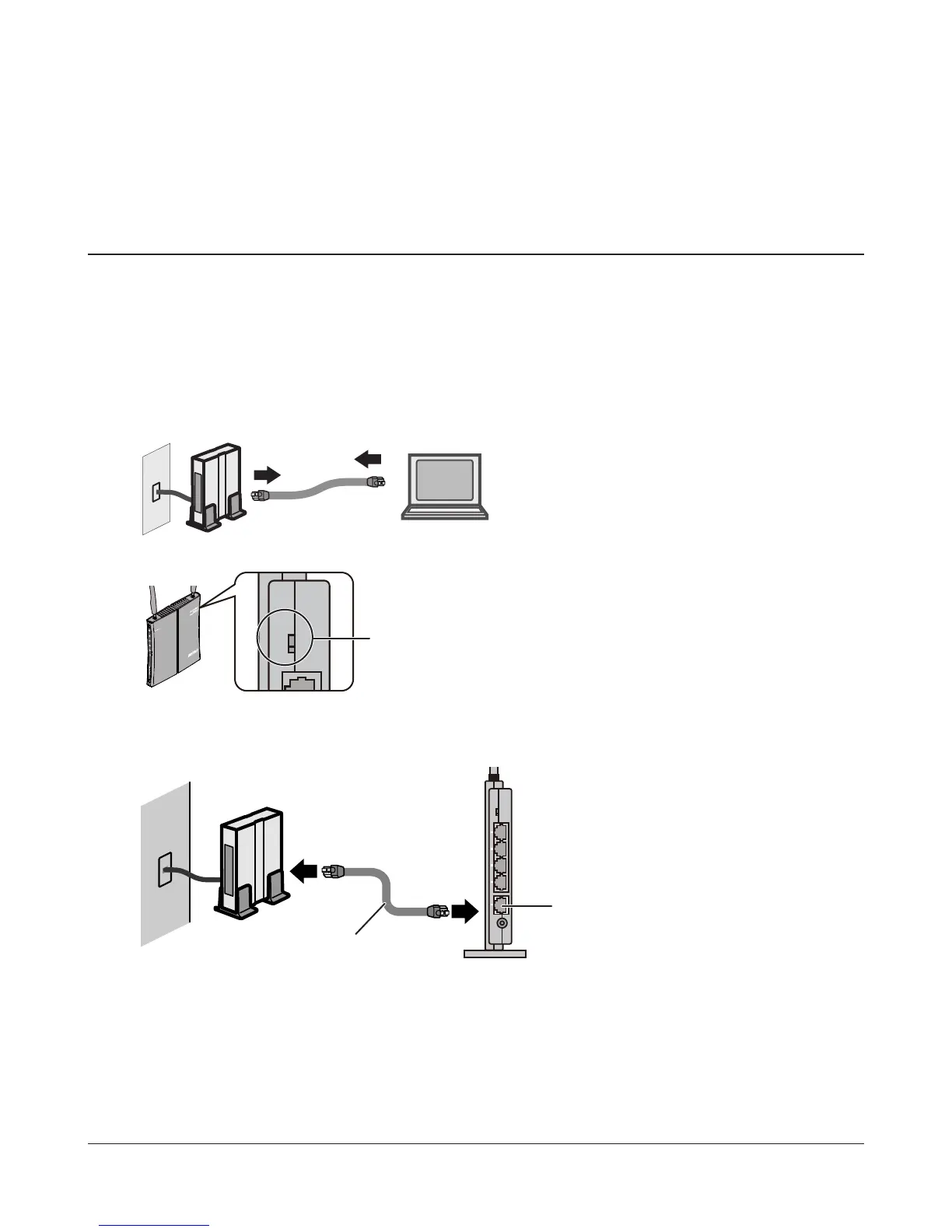
To use the AirStation as a router or an access point, congure as below.
1
Turn o your computer and modem.
2
Unplug the LAN cable that connects
your computer and modem.
3
Make sure the mode switch on the back of
the AirStation is in the auto position.
4
Connect one end of the LAN cable to the modem, and connect the other end to the Internet
port of the AirStation. Turn on your modem.



 To Next Page
 Loading...







