7
12
8
9
10
11
ÒÏÕÔÅÒ
ÐÏ×ÅÒ
ÉÎÔÅÒÎÅÔ
ÌÁÎ
ᴮ
ᴯ
ᴰ
ᴱ
ÏÎ
ÏÆÆ
ÁÕÔÏ
- 7 -
Chapter 1 Introduction
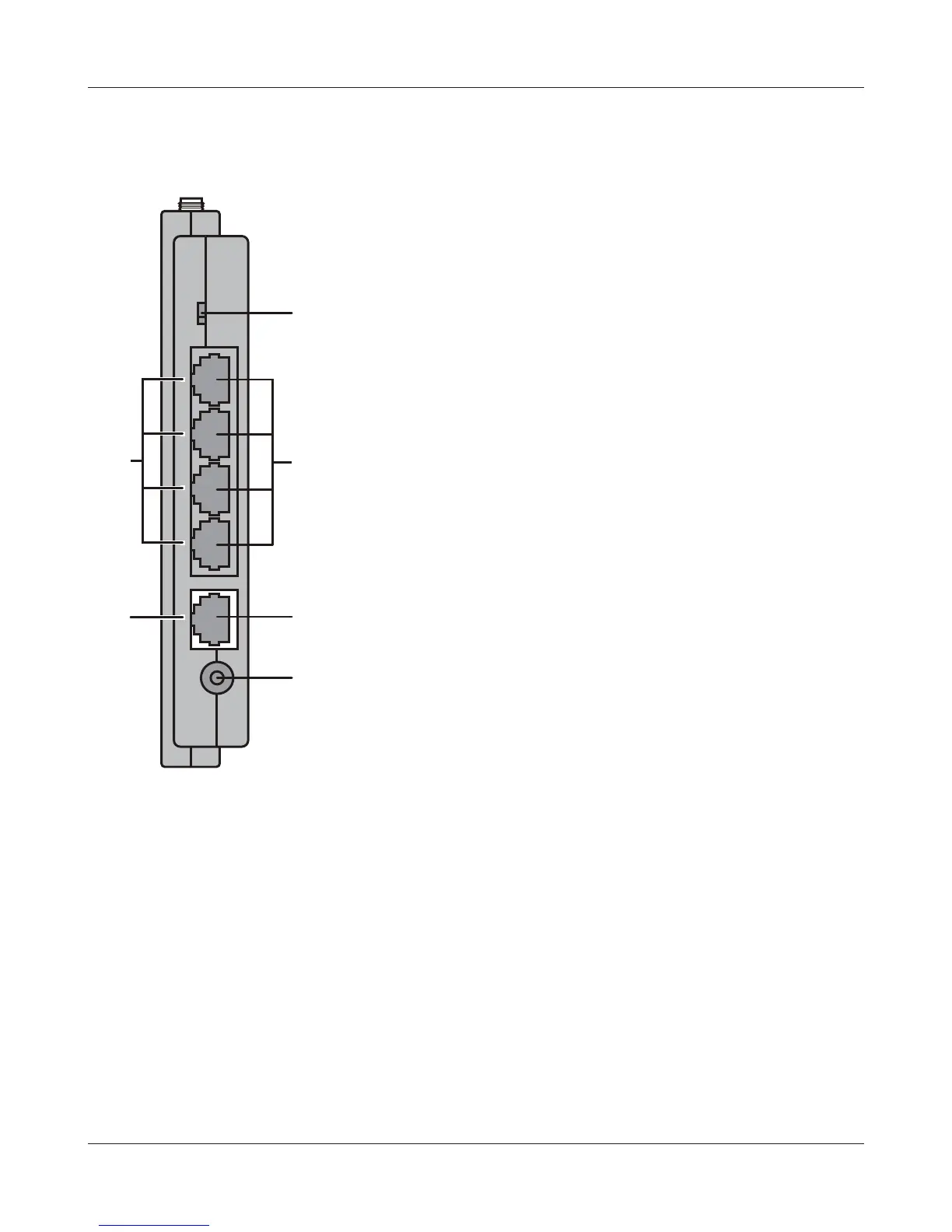
Back Panel
7
Router Switch
Switches router mode between enabled, disabled, and auto.
On: Router is enabled (router mode).
O: Router is disabled (bridge/AP mode).
Auto: This switches between modes automatically based
on whether or not another router is detected on the
Internet port. The default setting for this switch is
Auto.
8
LAN LED (Green)
On: An Ethernet device is connected.
Flashing: An Ethernet device is communicating.
9
LAN Port
Connect your computer, hub, or other Ethernet devices to
these ports. This switching hub supports 10 Mbps and 100
Mbp
s connections.
10
Internet LED (Green)
On: The Internet (WAN) port is connected.
Flashing: The Internet port is transmitting data.
11
Internet Port Connect your cable or DSL modem to this port. 10 Mbps and 100 Mbps
connections are supported. In bridge/AP mode (router switch o), the
Internet port becomes a regular LAN port, for a total of 5 usable LAN ports.
12
DC Connector Connect the included AC adapter.


 To Next Page
 Loading...








