- 21 -
Chapter 4 - Conguration
The web-based conguration interface lets you change AirStation settings. Don’t change these
settings unless you know what you’re doing.
Accessing the Web-based Conguration Interface
To congure the AirStation’s advanced settings manually, log in to the web-based conguration interface
as shown below.
1
2
3
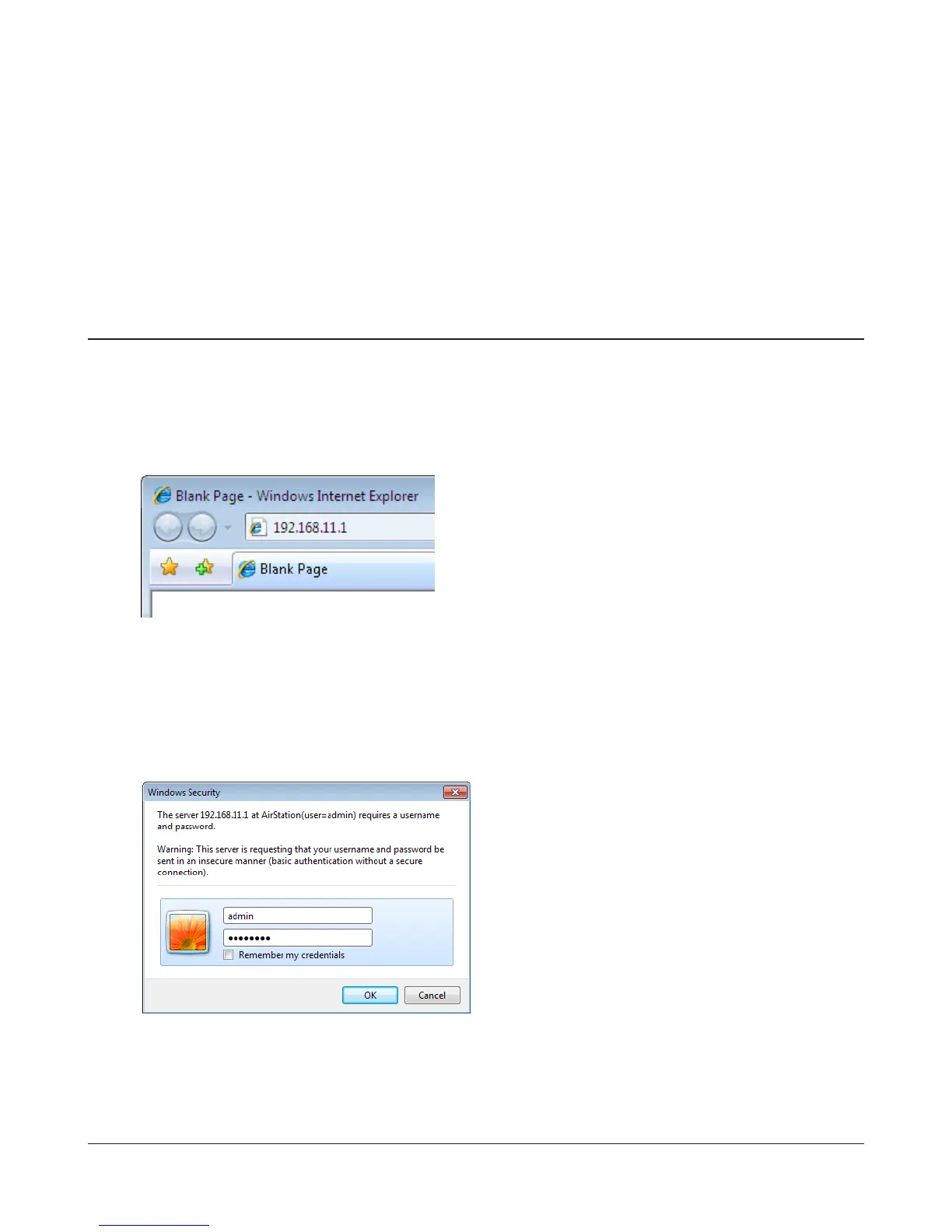
Launch a web browser.
Enter the AirStation’s LAN-side IP address in the address
eld, and press the enter key.
Note: · The AirStation’s default LAN-side IP address depends on the position of the mode switch.
In router mode: 192.168.11.1
In bridge mode: 192.168.11.100
If the router switch is set to auto and the unit is in bridge mode, then the AirStation’s IP address was
assigned by an external DHCP server.
· If you changed the IP address of the AirStation, then use the new IP address.
Enter “admin” for the username and “password”
for the password and click [OK].
Note: If you forget your password, hold down the
reset button (page 8) to initialize all settings.
Note that all other settings will also revert to
their default values.



 To Next Page
 Loading...







