Chapter 5 Connect to a Wireless Network
- 89 -
Mac OS X (Wi-Fi)
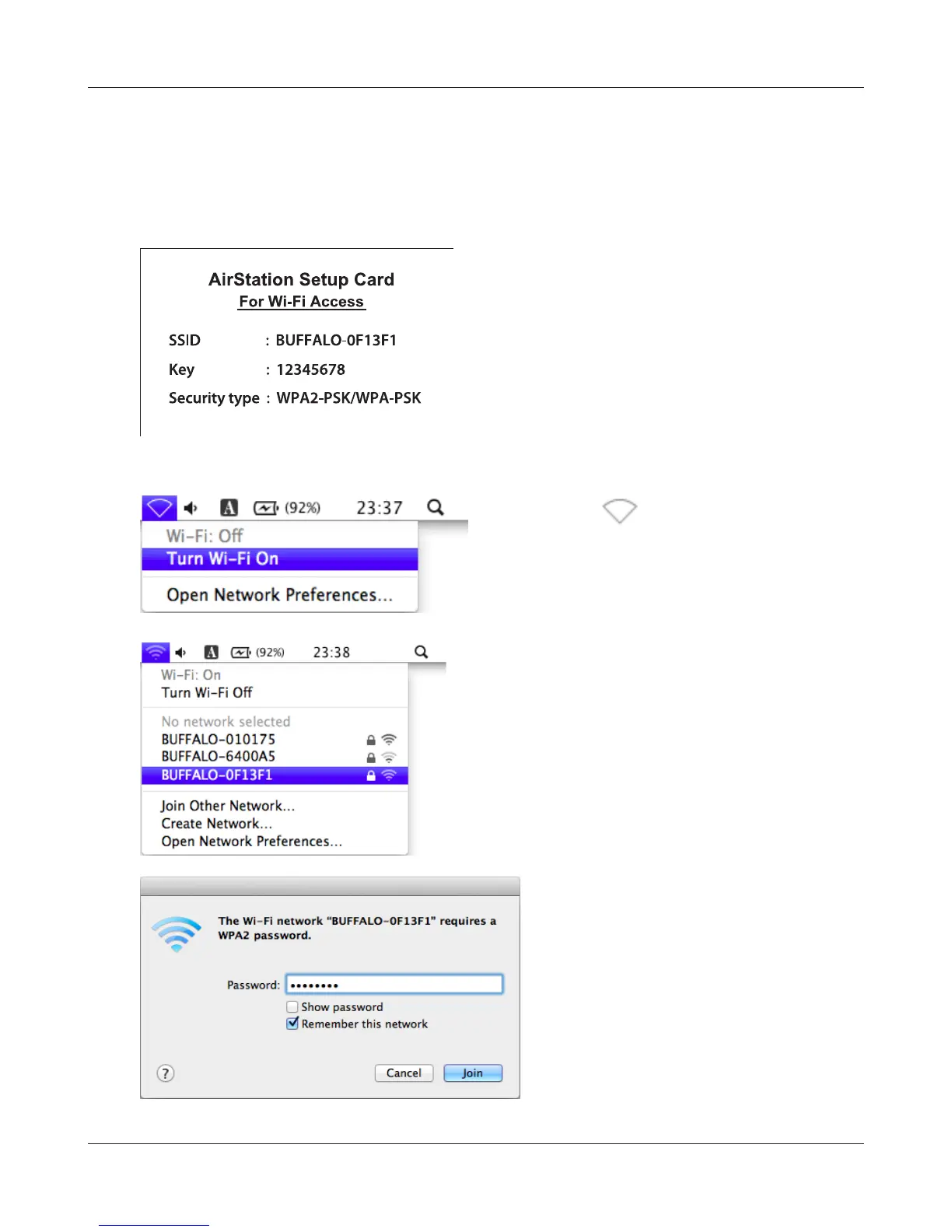
Use Wi-Fi on a Mac to connect to the AirStation.
Note: In Mac OS X 10.6 and earlier, “Wi-Fi” appears as “AirPort”.
1
2
3
4
It will take several seconds for conguration to complete.
Refer to the Setup Card. Make a note of the
SSID and Key printed on the Setup Card.
Click the icon in the top section of the
screen and select [Turn Wi-Fi On].
Find the SSID from step 1 on the list.
Click it to highlight it.
Enter the KEY from step 1 into the
Password entry box, check [Remember
this network], and click [Join].


 To Next Page
 Loading...








