1
2
3
4
5
6
- 5 -
Chapter 1 Introduction
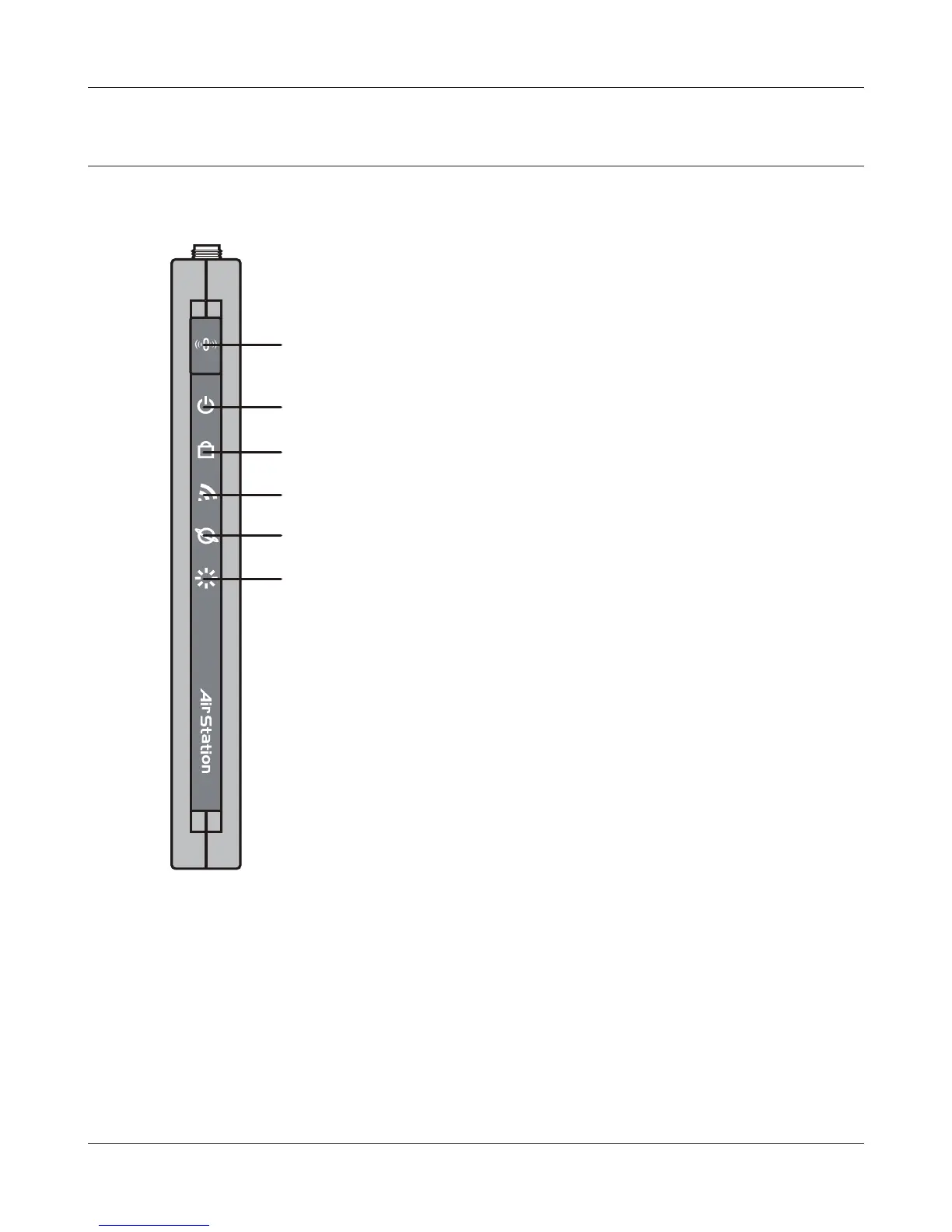
Hardware Overview
Front Panel LED's
1
AOSS Button
Hold down this button until the Security LED ashes
(approximately 1 second) to initiate AOSS or WPS mode,
allowing the unit to exchange security keys with other AOSS
or WPS compatible devices. Power must be on for this to
work.
2
Power LED (Green)
On: The AC adapter is connected
O: The AC adapter is not connected
3
Security LED (Amber)
Indicates security status.
O: Encryption is not set
On: Encryption has been set
Double blink: The unit is waiting for an AOSS or WPS
security key
Blinking: AOSS/WPS error; failed to exchange security keys
Note: When the Security LED is lit, an encryption key has
been set. Wireless clients will need the same key to
connect.
4
Wireless LED (Green)
Indicates wireless LAN status
Blinking: Wireless LAN is transmitting
On: Wireless LAN is enabled but not active
O: Wireless LAN is disabled
5
Router LED (Green) On: Router functionality is enabled
O: Router functionality is disabled
6
Diag LED (Red) This indicates the status of the unit by the number of blinks per cycle.
Note: When the unit is rst turned on or restarted, the Diag LED will
blink for almost a minute during boot. This is normal.


 To Next Page
 Loading...








