Chapter 5 Connect to a Wireless Network
- 83 -
Mac OS X (AOSS Assistant)
If you are using Mac OS X 10.7 / 10.6 / 10.5 / 10.4, use the included AOSS Assistant software to con-
nect wirelessly with AOSS.
1
Load the utility CD in your Macintosh.
2
From the menu bar, click [Go] > [Computer].
3
Double-click the CD icon, and then double-click [AOSS Assistant] in the “Mac” folder.
4
The software license screen is displayed. Click [Agree] to proceed.
5
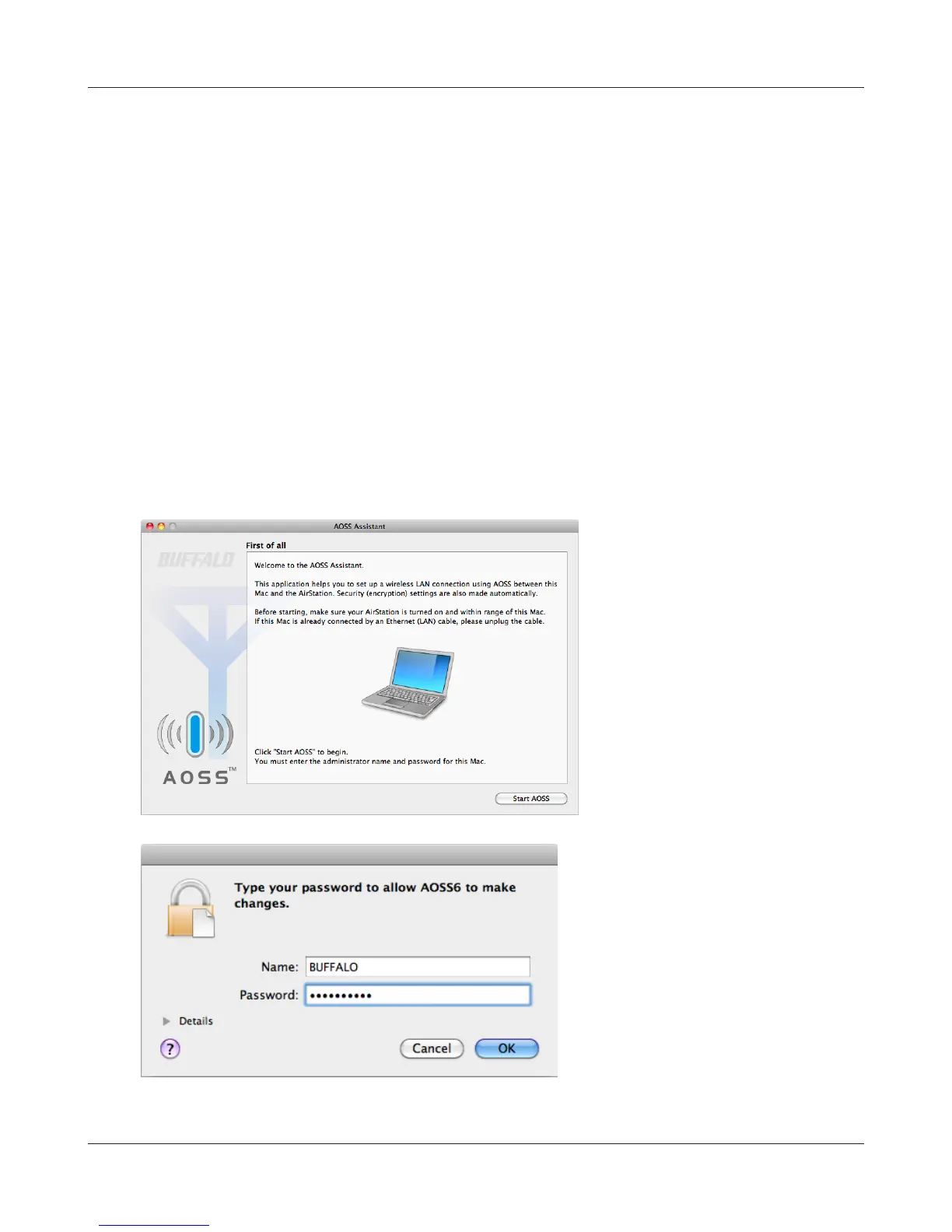
Click [Start AOSS ].
6
Enter the Mac’s username and
password and click [OK].
It will take several seconds for your wireless connection to be congured. When the Security LED on
the front of the AirStation stop ashing and glows steadily, the connection is complete.



 To Next Page
 Loading...







