POWER
SECURITY
WEIRELESS
ROUTER
DIAG
POWER
SECURITY
WEIRELESS
ROUTER
DIAG
POWER
SECURITY
WEIRELESS
ROUTER
DIAG
POWER
SECURITY
WEIRELESS
ROUTER
DIAG
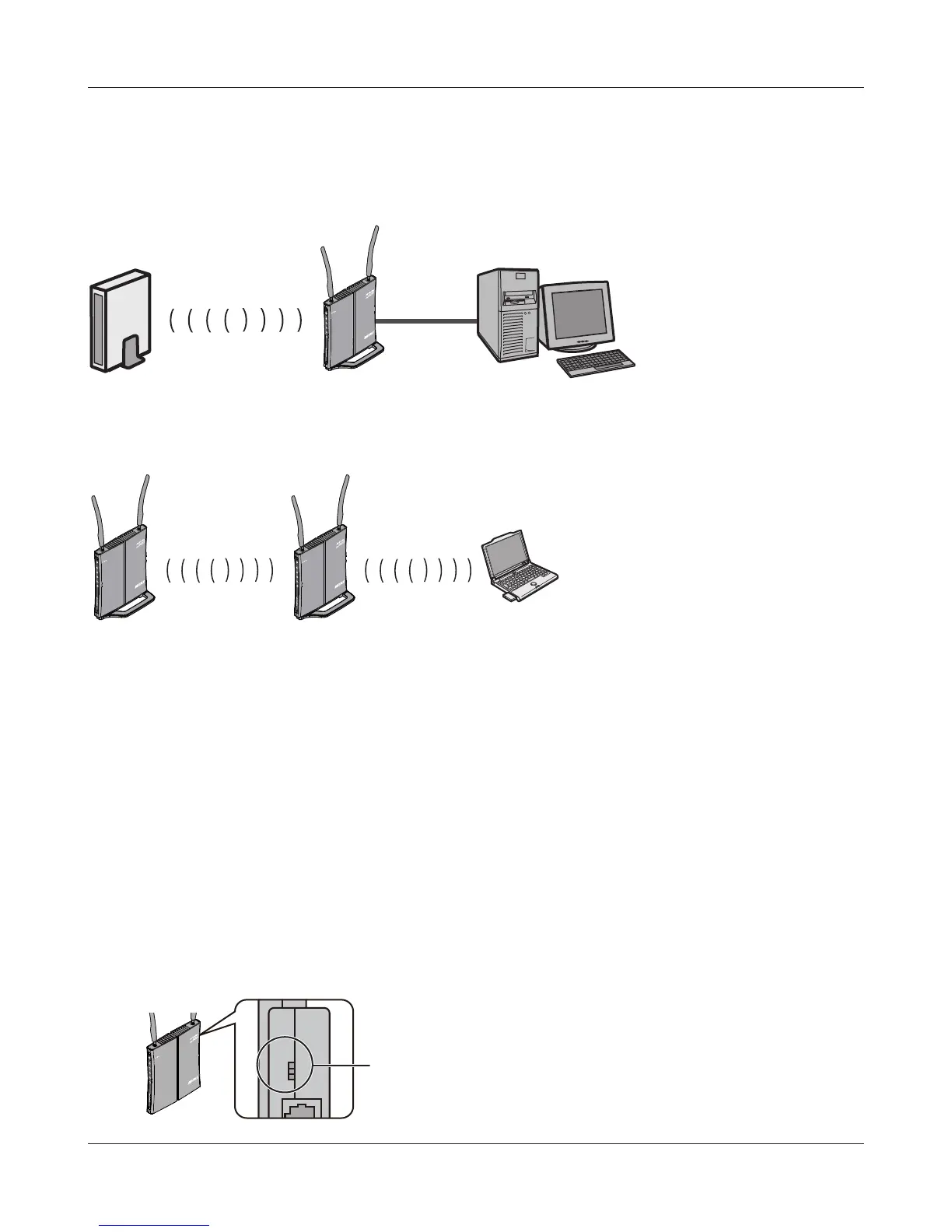
router AirStation computer
router AirStation computer
wireless wired
wireless wireless
Using as an Ethernet Converter:
Using as a repeater:
Move the switch from
the auto position to
o.
- 14 -
Chapter 3 Installation
Using AirStation as an Ethernet Converter or a Repeater
To use the AirStation as an Ethernet converter or a repeater, follow the directions below.
This section describes manual conguration. You can also use AOSS or WPS for automatic conguration.
1
Set your computer’s IP address settings as follows (Appendix C).
IP Address 192.168.11.80
Subnet mask 255.255.255.0
Default gateway 192.168.11.1
Preferred DNS server 192.168.11.1
Alternate DNS server blank
2
Shut down your computer.
3
Move the switch from the auto position to
o.



 To Next Page
 Loading...







