40
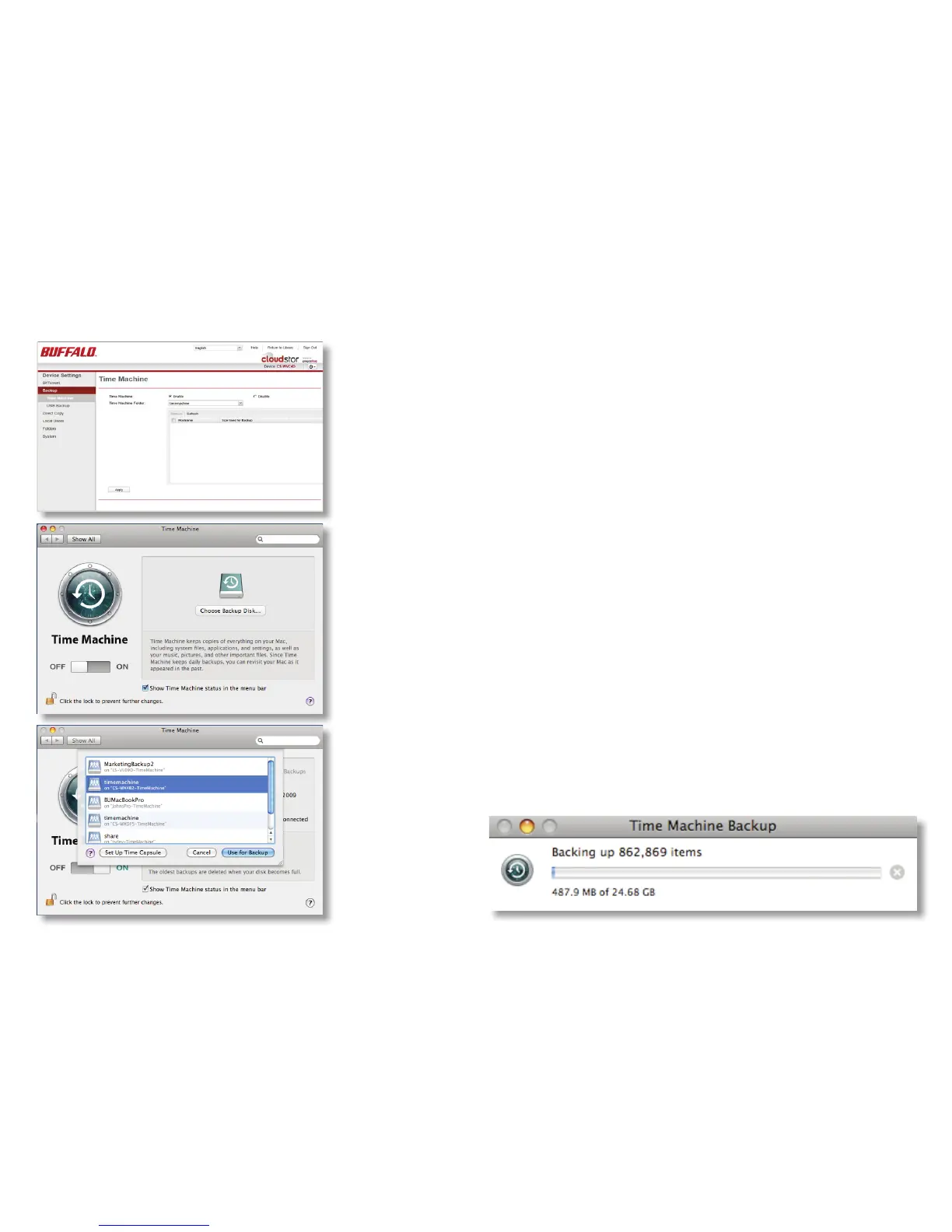
To use the CloudStation as a location for backups from a Mac
running Time Machine, begin by navigating to Device Settings/
Backup in the local user interface and clicking Enable, then
Apply.
On your Mac, open Time Machine. Click on Choose Backup
Disk.
Choose your CloudStation from the list and click Use for
Backup. In 120 seconds, Time Machine will begin running a
backup.
Time Machine













 To Next Page