Chapter1 Setup
LinkStation Setup Manual
1111
7
8
4
5
6
7
8
3
5
Back
3
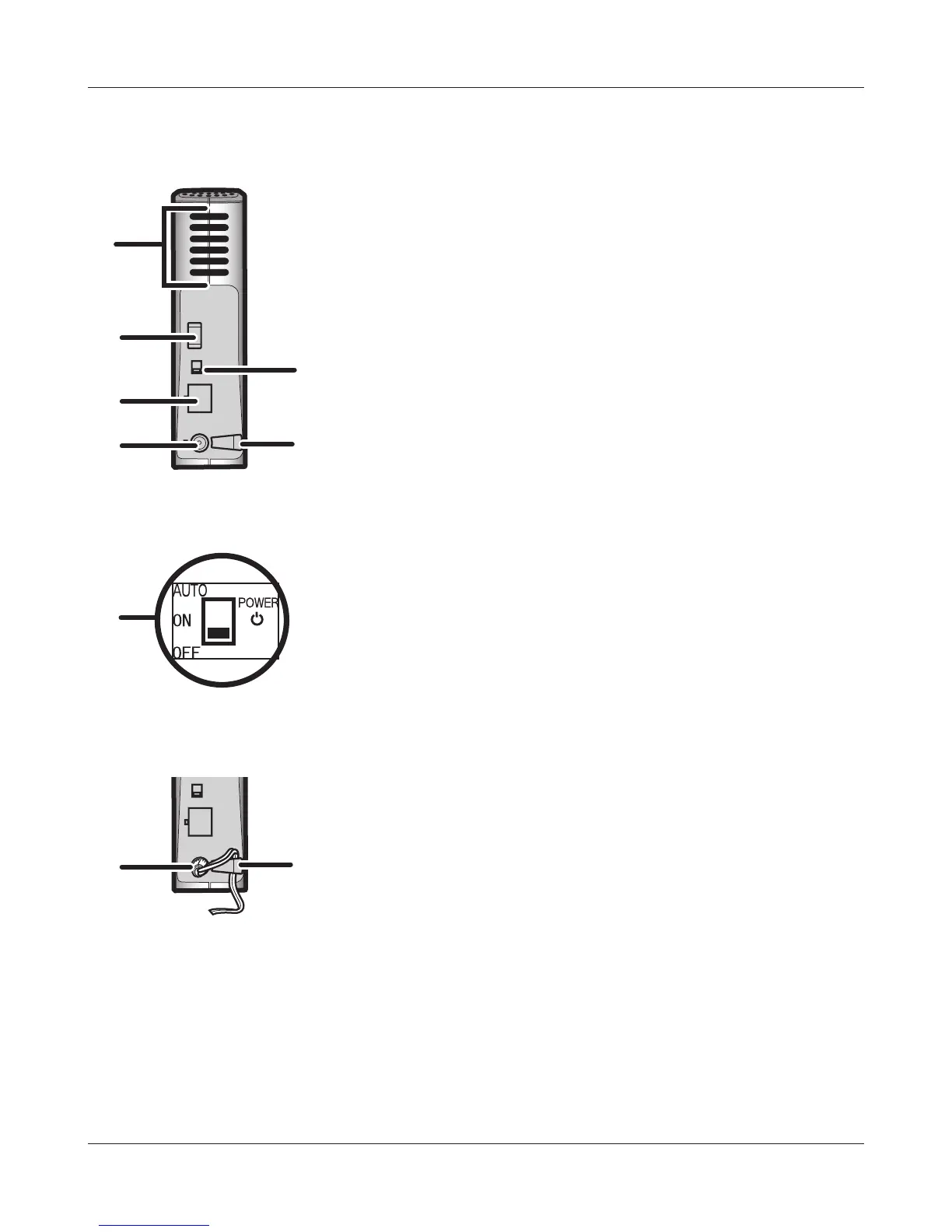
Fan
Do not block the fan when installing the unit.
4
USB Connector (USB 2.0/1.1 Series A)
A USB Mass Storage device, a card reader (except one that
recognizes more than 2 memory cards), a UTP device, such
as a digital camera, compatible UPS devices, or a compatible
USB Printer, may be connected to the LinkStation USB port
on the back of the unit. USB devices such as USB hub, mouse
or keyboard may not be used.
5
Power Mode Switch
AUTO: Power the LinkStation automatically when the PC is
on.
ON: Turn the LinkStation ON.
OFF: (The factory default) Turn the LinkStation OFF.
6
LAN Port Connect a Ethernet cable.
The LED next to the LAN port is the LINK/ACT LED. The LED
will turn green when the unit is Linked, and flashes green
when there is network activity.
7
Power Connector Connect the AC cable.
When the AC adapter is connected, the LED light next to the
power connector will turn green.
8
Hook Used as a strain relief for AC Adapter cable..















 To Next Page