Chapter 3 Useful Functions
LinkStation Setup Manual
6767
Sleep Timer
To save energy, you can specify the time to set the LinkStation to Standby mode (hard disk and LED
lights are turned o).
You can use Timer ON/OFF feature only when the LinkStation’s power switch is ON. This feature can-
not be used when it is set to “AUTO” or “OFF”.
1
2
* You can set up to 3 timers.
* You can set wake up at from 0:00 to 23:45.
You can Begin sleep at 0:00 to 27:45.
(If the ending time is 24:00 or later, the beginning time can be set from 4:00 to 23:45.
)
24:00 is equivalent to 0:00 of the next day, and 27:00 is equivalent to 3:00 of the next day.
* You can not set the ending time before or the same time as a beginning time.
• During processing disk check, disk format, and backup jobs or when a backup job is sched-
uled before and after 5 minutes of the current time, the LinkStation will not be proceeded to
Standby mode even though the end time has reached.
• If time of the timers are duplicated, the longest interval time is used to operate.
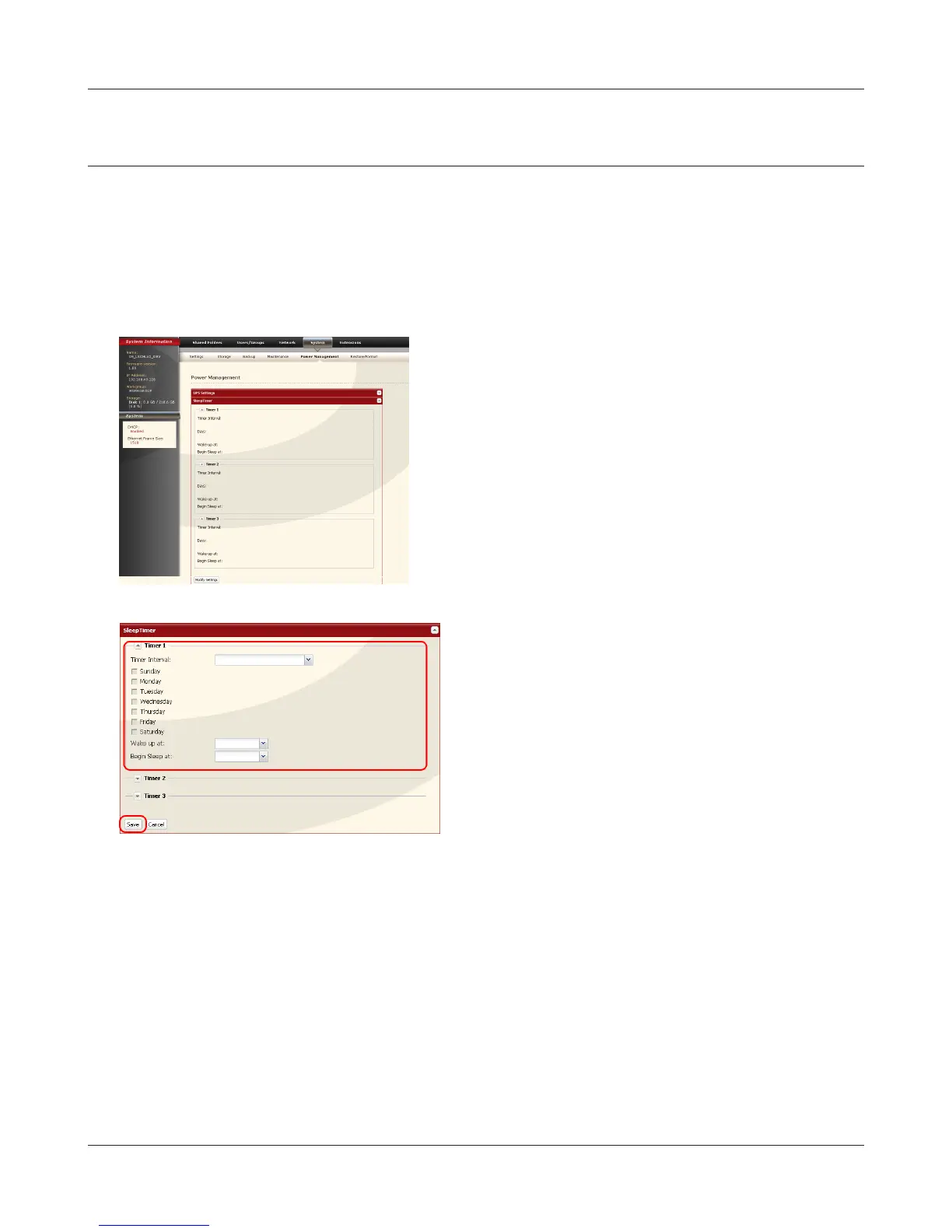
1 Specify a timer interval, beginning time and
ending time.
2 Click [Save] at the bottom of the screen.
1 Click [System]-[Power Management]-[Sleep
Timer] on the conguration screen of the Link-
Station.
2 Click [Modify Settings] for Timer ON/OFF.















 To Next Page