Chapter2 Using your LinkStation
LinkStation Setup Manual
2626
Adding Groups
To add a group, use the following procedure.
Note: – Refer to page 20 for the procedures to display the conguration screen.
1
2
Now you have completed adding a Group.
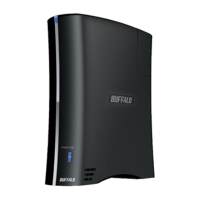
1 Enter a group name and description for that
group.
Note: – If a group ID is left blank, a group ID will
be automatically assigned.
2 Select users who join a group, click [Add].
3 Click [Save].
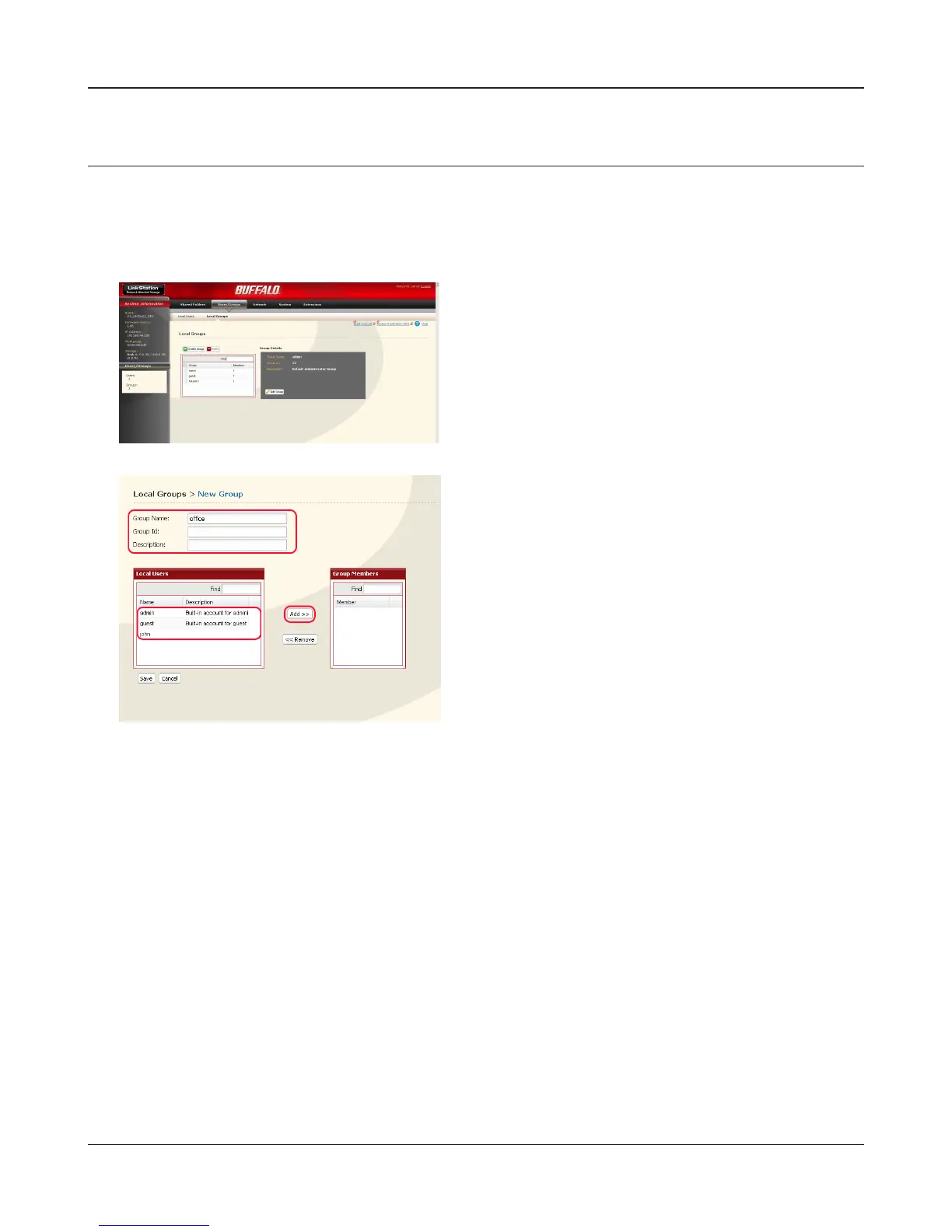
1 Click [Users/Groups] - [Local Groups] on the
LinkStation conguration screen.
2 Click [Create Group].













 To Next Page