Chapter1 Setup
LinkStation Setup Manual
1010
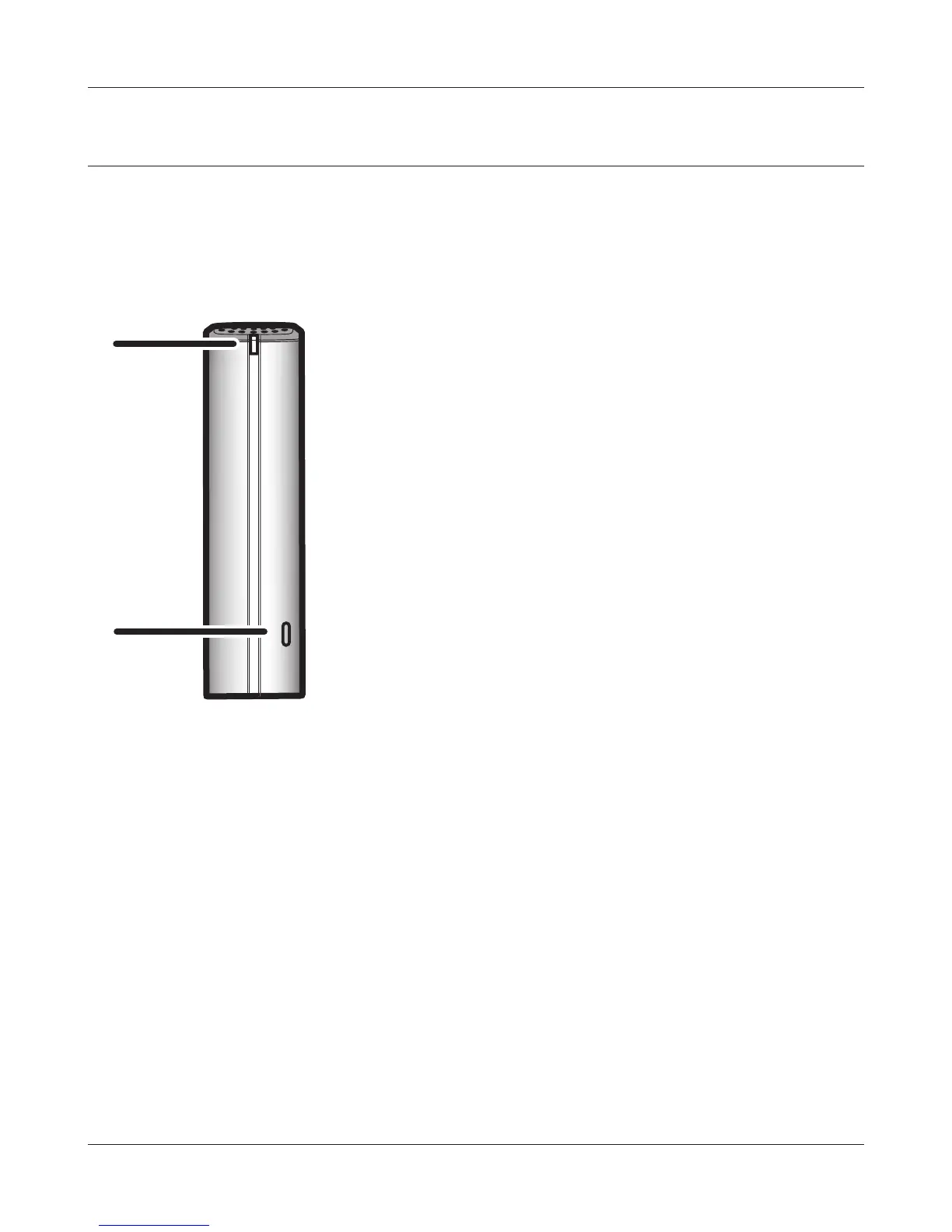
Diagrams and Layout (LS-XHL, LS-CHL)
The following list shows the name of each component of the LinkStation.
1
Power LED
Blue light is ON: Power ON
Blue light is OFF: Power OFF
Amber light is ashing: The amber light ashes if there is a
message. Flashing pattern varies depending
on each message. For more information, refer
to "Status LED" on page 72.
Red light is ashing: Red light ashes when an error occurs.
Flashing pattern varies depending on each
message. For more information, refer to "Sta-
tus LED" on page 72.
2
Function switch
This is used for the Direct Copy function (function to copy
media les on storage device to LinkStation), for remov-
ing USB devices which is connected to the LinkStation or
for initializing settings of the LinkStation. Refer to "Direct
Copy" on page 60, "Remove a USB device" on page 61, and
"Initialization" on page 43 for more information.
Front
1
2













 To Next Page