Chapter1 Setup
LinkStation Setup Manual
1515
5 Power LED (LinkStation)
Blue LED: Power on.
LED is o: Power o.
Blinks blue: During startup / shutdown.
6 Security lock for anti-theft
Many security cables are compatible with this lock.
7 USB connector (USB2.0/1.1 Series A)
A USB Mass Storage device, a card reader (except one that recognizes more than 2 memo-
ry cards), a UTP device, such as a digital camera, compatible UPS devices, or a compatible
USB Printer, may be connected to the LinkStation USB port on the back of the unit.
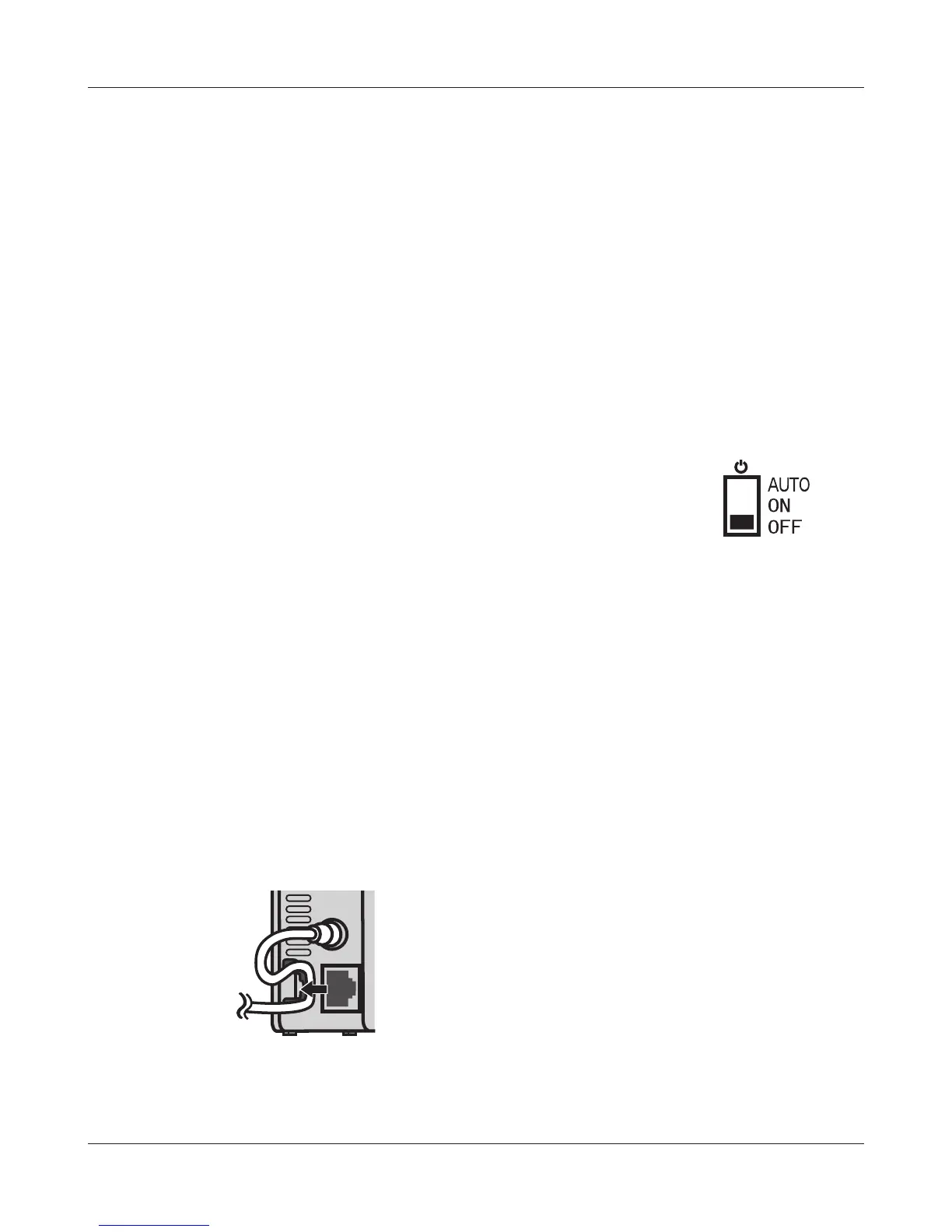
8 Power mode switch
Auto: The LinkStation turns on and o automatically with your PC(s).
On: The LinkStation boots and is operational.
O: The LinkStation shuts down and turns o.
9 Power connector
The AC adaptor connects here.
10 LAN port
Connect to your LAN with an Ethernet cable.
11 Hook
Secure the power cable so that it doesn’t come o by mistake. Slide the cable down to se-
cure.
The inserted cable is xed in the hook by
sliding it in the downward direction.













 To Next Page