Chapter2 Using your LinkStation
LinkStation Setup Manual
4141
• Changing to Normal mode
1
2
3
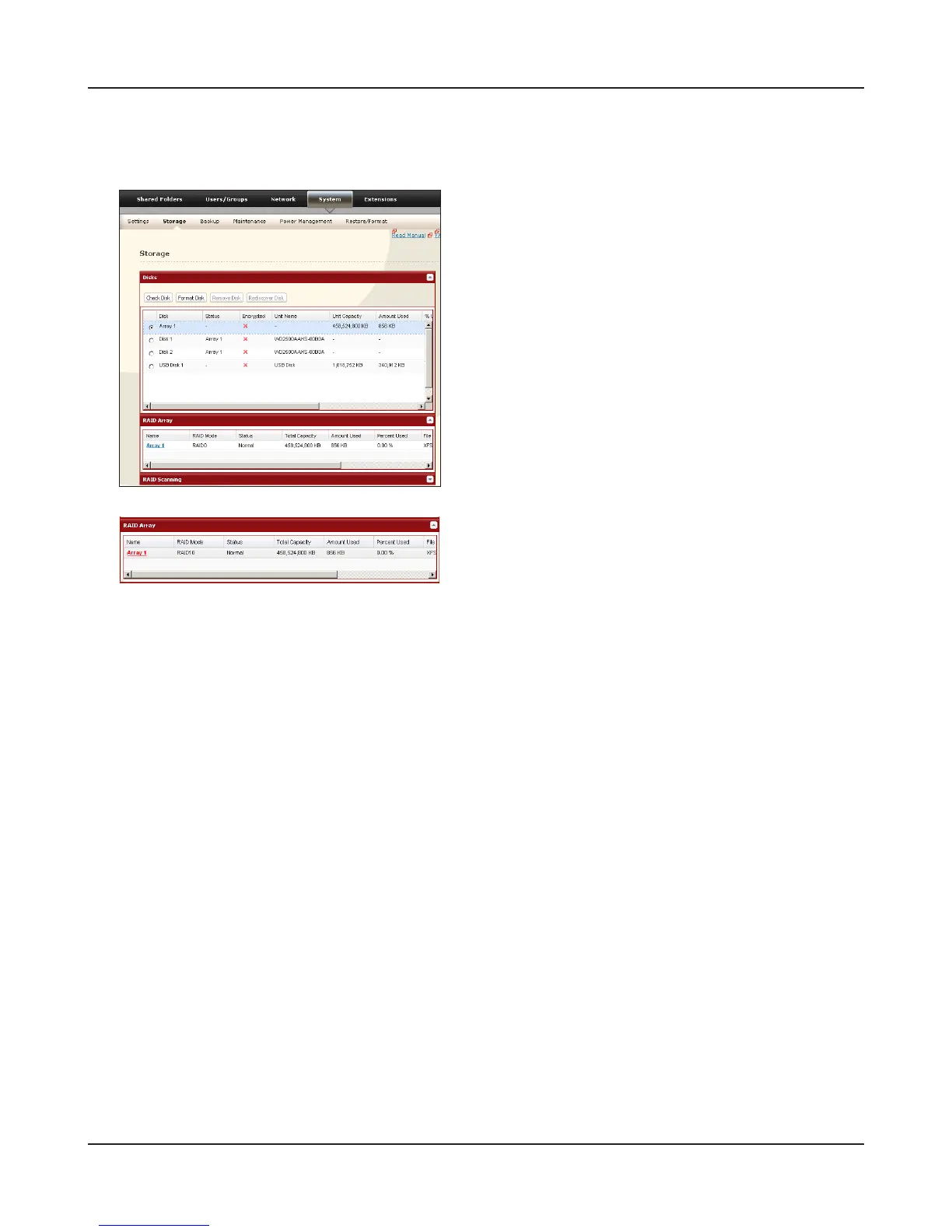
Click [Create RAID Array].
4
When [Are you sure you want to change RAID mode?] is displayed, click [Apply].
5
The confirmation screen will appear. Enter the number shown in the [Confirmation Number]
eld within 60 seconds, and click [Apply].
6
Follow the instructions displayed on the screen.
You have set up a Normal mode. Turn to page 22 to create a shared folder.
Navigate to [System] - [Storage] - [RAID Array] in
the Web Admin tool.
Select the array you want to congure.













 To Next Page