Chapter 3 Useful Functions
LinkStation Setup Manual
6363
4
5
6
7
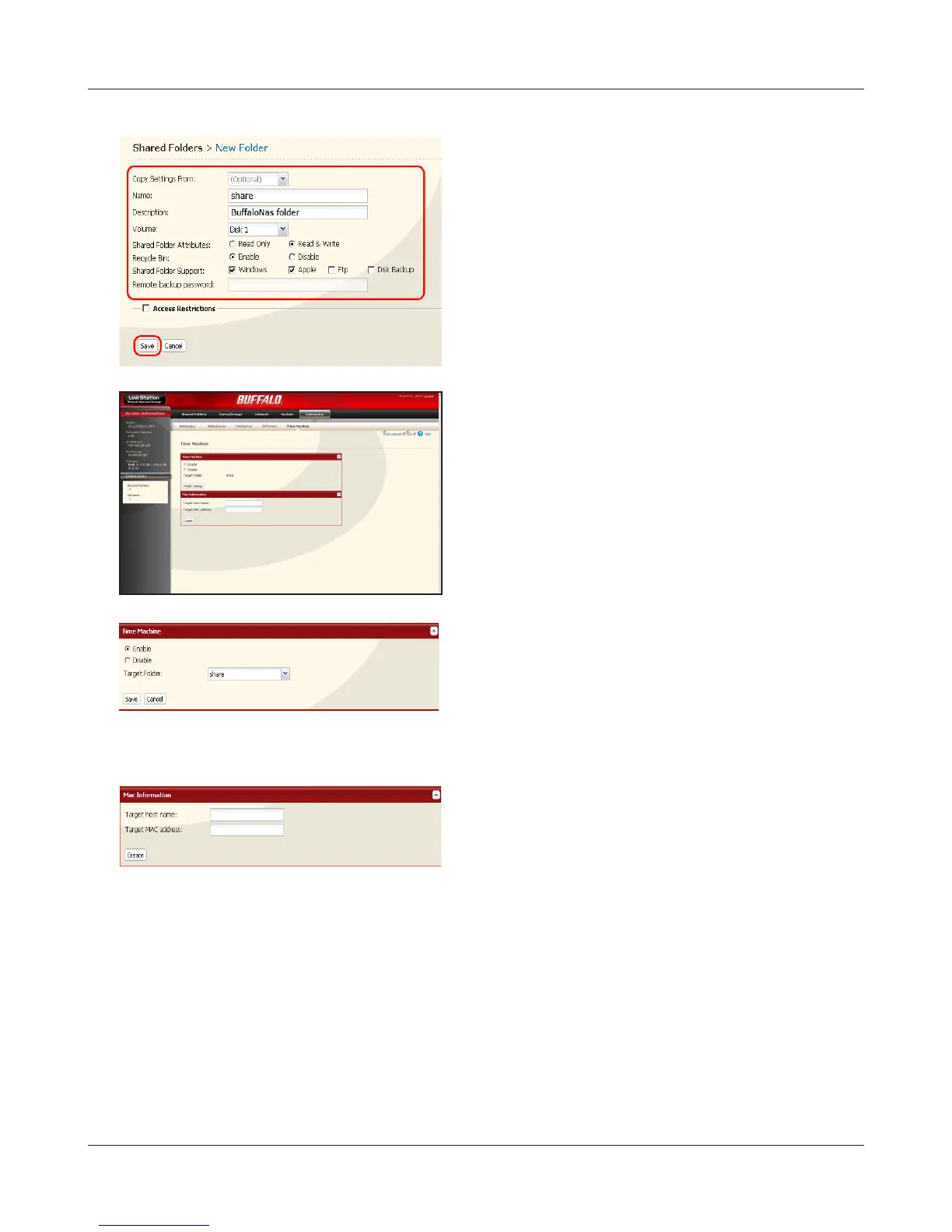
1 Select [Apple].
2 Click [Save].
1 Enter a host name of Macintosh which uses the
Time Machine feature.
2 Enter the MAC address of Macintosh which uses
the Time Machine feature.
3 Click [Create].
1 Click [Extensions] - [Time Machine].
2 Click [Modify Settings].
1 Select [Enable].
2 Select a shared folder of the LinkStation you
have set on step 3-4 from applicable shared
folders.
3 Click [Save].















 To Next Page