Ultra Training Manual
22
The left and right side panel will need to be removed rst to give access to the single standard slotted screw on each
side. One ¼ inch hex slotted screw is located in the front support bracket located in front center behind the drip tray.
The
front control panel is now ready for nal removal by pulling downward and away from the machine. Be cautious
upon removing the panel because of the switch membrane connection.
Left Side Panel
Removing the left side panel will give you access to the refrigerant solenoids, hot gas sensor/thermistor and optional
LAF water valve/ULTRA-1 only.
How to Remove
The left side panel is attached by 2, 1/4 inch hex slotted screws on the underside. Remove or loosen the screws and
the panel is now ready for removal by pulling downward and out.
Hot Gas Sensor Solenoids
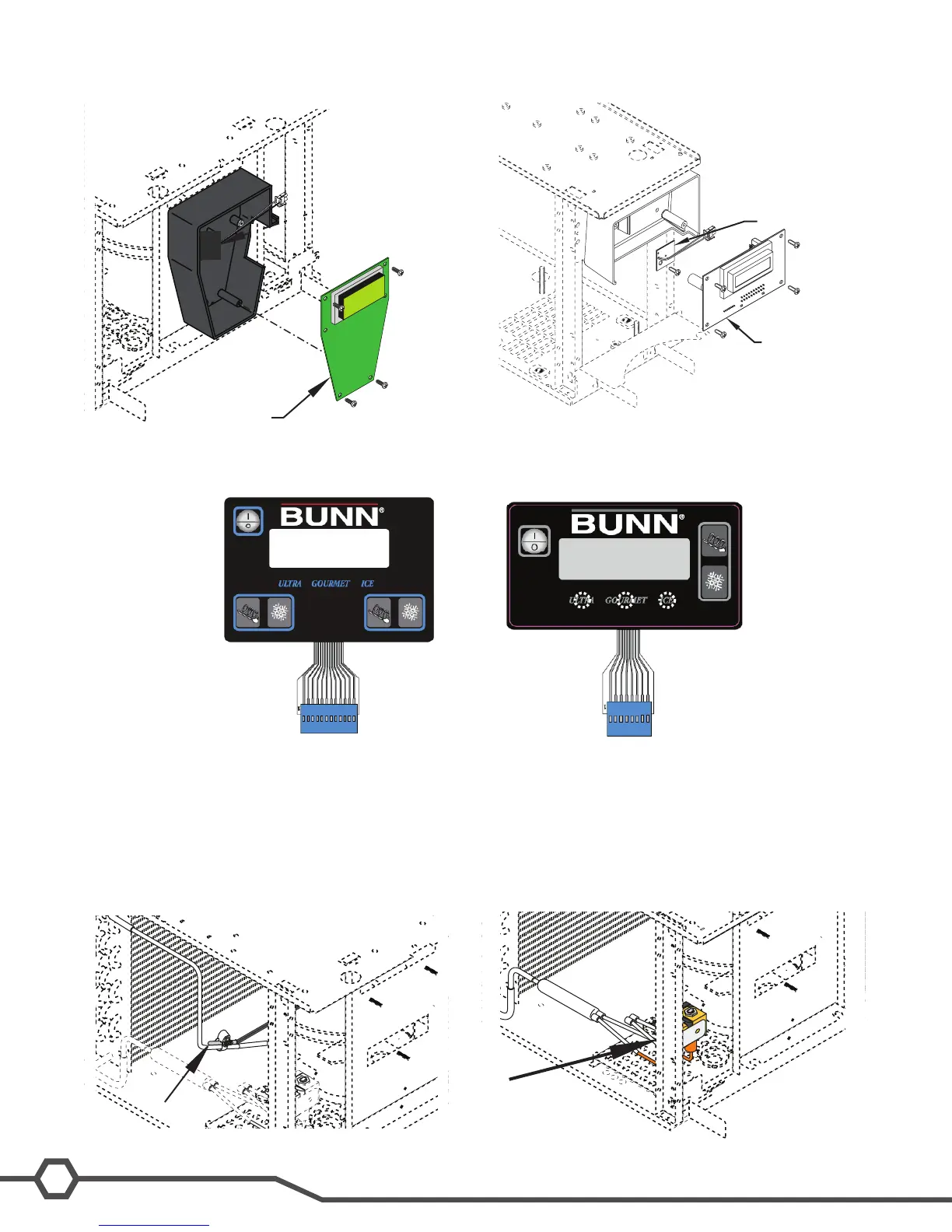
Control board
TIC board
Control board
TIC board


 To Next Page