Ultra Training Manual
34
Clean Due Today Message
The messages come from the activation of the “Days To Clean” menu. It can be set up as a clean message only or
set as a clean lockout. To reset the Clean Due Today message or lockout, two functions must be performed. Either
power off the dispenser using the I/O (ON/OFF) switch and allow the barrels or cooling drums to warm over 50°F.
Scroll to the Cleaning Guide and perform the cleaning service. The barrels will warm to over 50°F when cleaned with
warm water and the message will disappear.
CLEAN Due Now
Clean Due Toda
30 or 25: The left or right number represented is a real time operation number (torque) related to the Thickness set-
ting multiplied by three.
Note: No load (product) on the auger shaft torsion spring during rotation will start from thickness setting multiplied by
three and countdown to zero. If zero is not achieved and a number is represented, this is an indication of a worn tor-
sion spring in the auger shaft.
161° h: The temperature value on the screen can be used to see the possibility of a dirty lter or placement of dis-
penser in a high ambient environment. High temperature reading can prompt messages when temperature reaches
220° or higher.
Note: Temperature is monitored from the temperature sensor clamped onto the refrigeration high side line.
Warning Messages
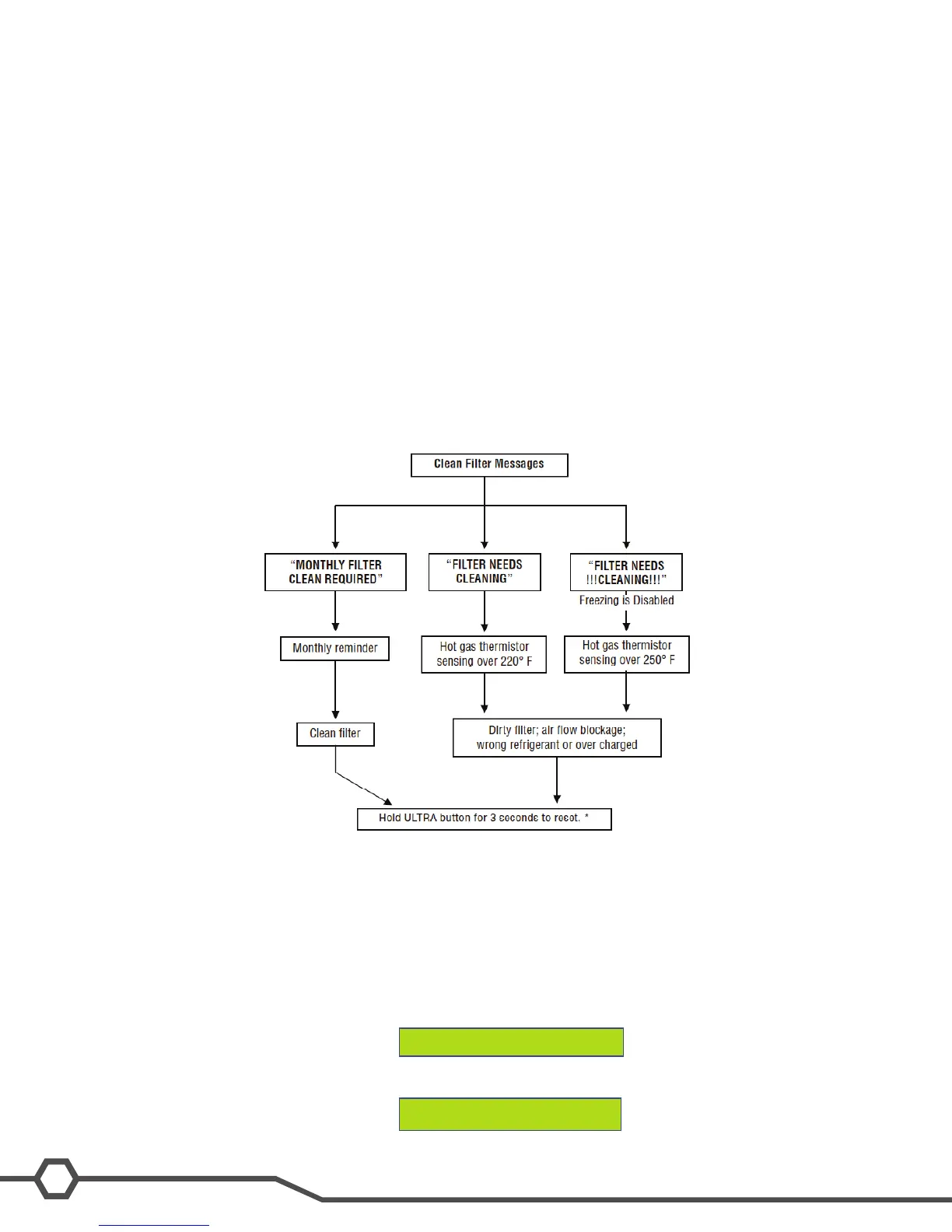
Clean Filter Message
A monthly counter will automatically show the warning message to clean the condenser lter. If the lter is not
cleaned and the machine detects a rise in temperature, the message will escalate to the next level of cleaning the
lter and eventually will disable the machine from freezing (ice).


 To Next Page