Bunn-O-Matic Corporation
33
Test Switches: This function allows the operator to test the operation of the
individual switches on the user switch membrane panel.
Service Phone #: This function allows the operator to enter in the telephone num-
ber to call if service is needed. The service number will be displayed anytime there
is a fault message displayed.
Temp and Torque Screen
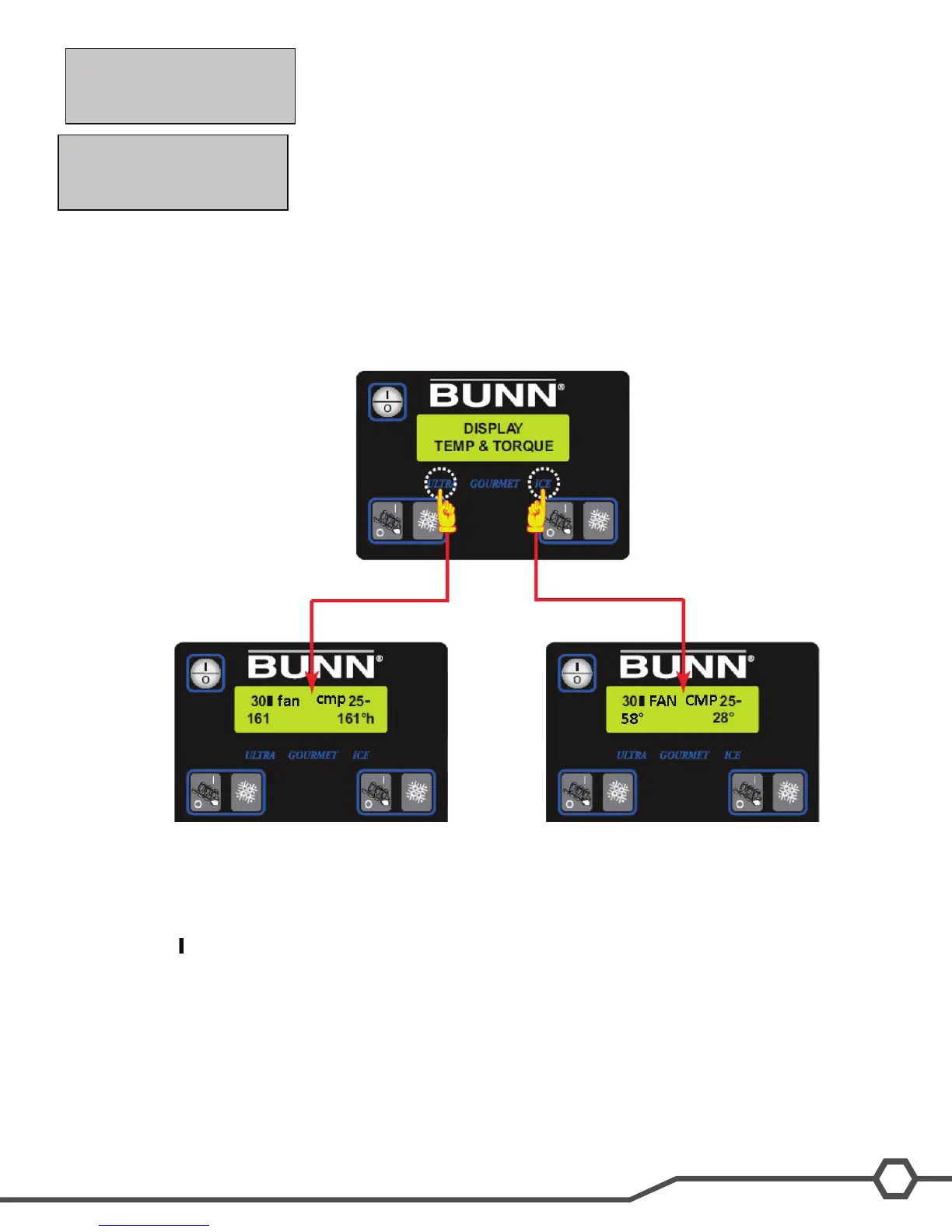
Press and hold for ve seconds the ULTRA and ICE hidden switches to display the TEMP & TORQUE. The tem-
perature of each cooling drum and the hot gas temperature will toggle back and forth. The auger torque is displayed
continuously during machine operation. Press and release the ULTRA and ICE hidden switches to return to HOME
SCREEN. The TEMP & TORQUE mode is typically used for service.
Temp & Torque Display: While in the TEMP & TORQUE screen, the UPPER/lower case ICE or CHILL will be re-
placed by a small block and large block symbol.
The block symbols are used for illustrating when the barrel refrigerant solenoid is ON or OFF.
Small Block (-): Left or Right Refrigerant Solenoid is OFF
Large Block ( ): Left or Right Refrigerant Solenoid is ON
Lower case fan: Means condenser fan is not operating.
Upper case FAN: Means condenser fan is powered and operating.
Lower case cmp: Means compressor is not operating.
Upper case CMP: Means compressor is powered and operating.
The top left and right number can be used to see the condition of the auger shaft torsion springs by the thickness set-
ting multiplied by three during machine operation.
SERVICE PHONE#
NO YES
TEST SWITCHES
NO YES


 To Next Page