20
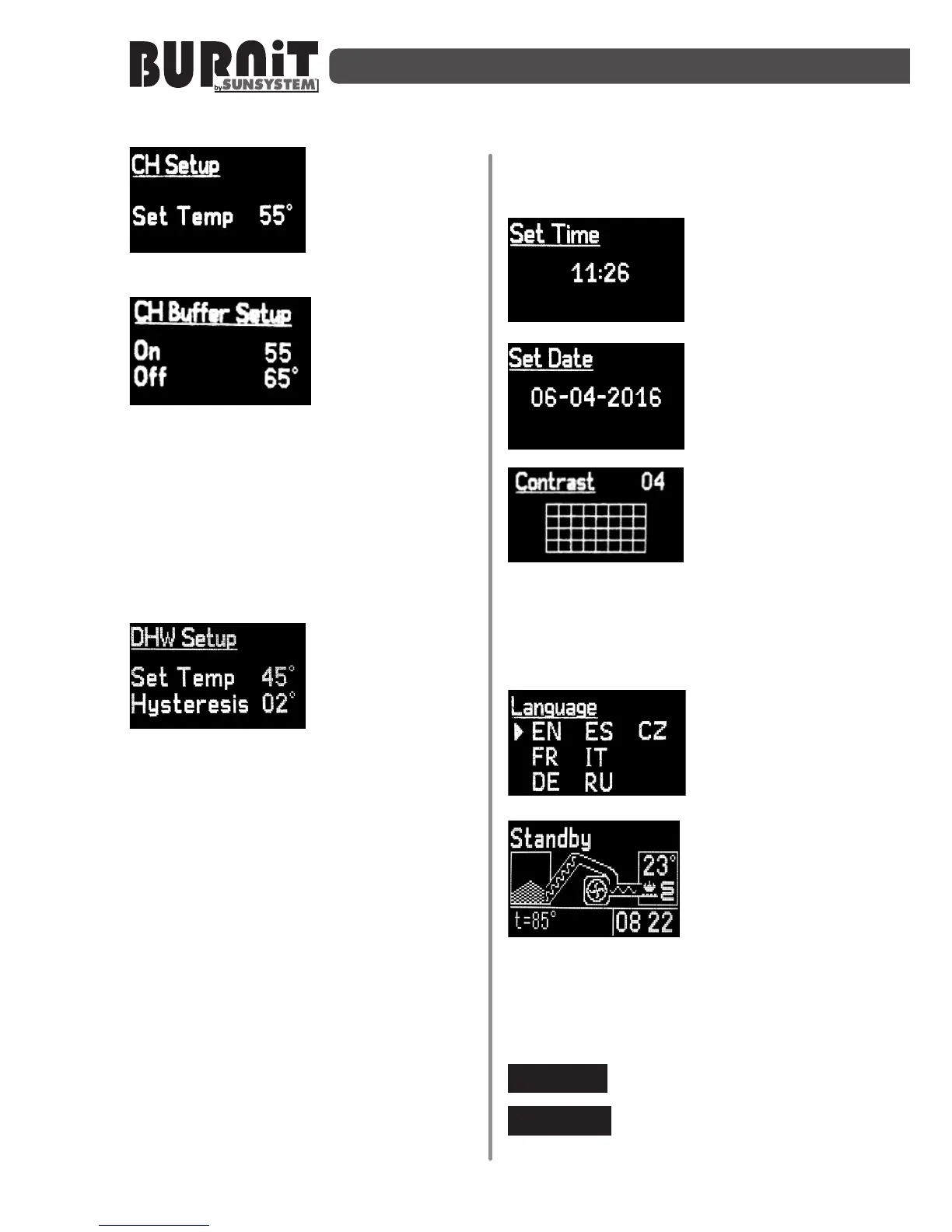
Use UP and DOWN
arrow keys in CH
Setup menu to
select desired
temperature of
engagement of circulaon pump.
From this menu
you can preset
buer tank
circulaon pump
switch-on and
switch-o temperatures provided such
heang installaon scheme (with buer
tank included) is selected, whereas the
two sensors reading these temperatures
are mounted in the upper, respecvely
lower part of the buer tank (cf. boiler
connecon schemes). Use buon F to
navigate to the next menu.
In DHW Setup
menu – set
domesc hot water
(DHW) pump
switch on/o
temperature. Use UP and DOWN arrow
keys to select desired temperature in
“Set Temp _ _°” and hysteresis in
“Hysteresis _ _°”. Upon reaching the
preset temperature of water in boiler the
DHW pump will engage. It will stop when
water inside the DHW storage tank
reaches the preset temperature.
Example: On Set Temp 75°C and
Hysteresis 05°C when water inside the
boiler heats up to 70°C the pump will
start. When water temperature inside
the DHW storage tank reaches 75°C
the pump will stop. It will restart once
the water temperature inside the DHW
tank drops by 5°C. In this way the water
temperature inside the DHW tank will be
kept at a hysteresis of 5°C, i.e. the water
temperature will be between 70°C and
75°C.
Use UP and DOWN
arrow keys in Set
Time menu to set
the unit’s built-in
mer/clock.
Use UP and DOWN
arrow keys in Set
Date menu to set
the date.
Use UP and DOWN
arrow keys in
Contrast menu to
adjust the LCD
display backlight
level.
Conrm sengs by shiing to next
submenu through a single pressing of the
funconal key F.
Choose a language


 To Next Page