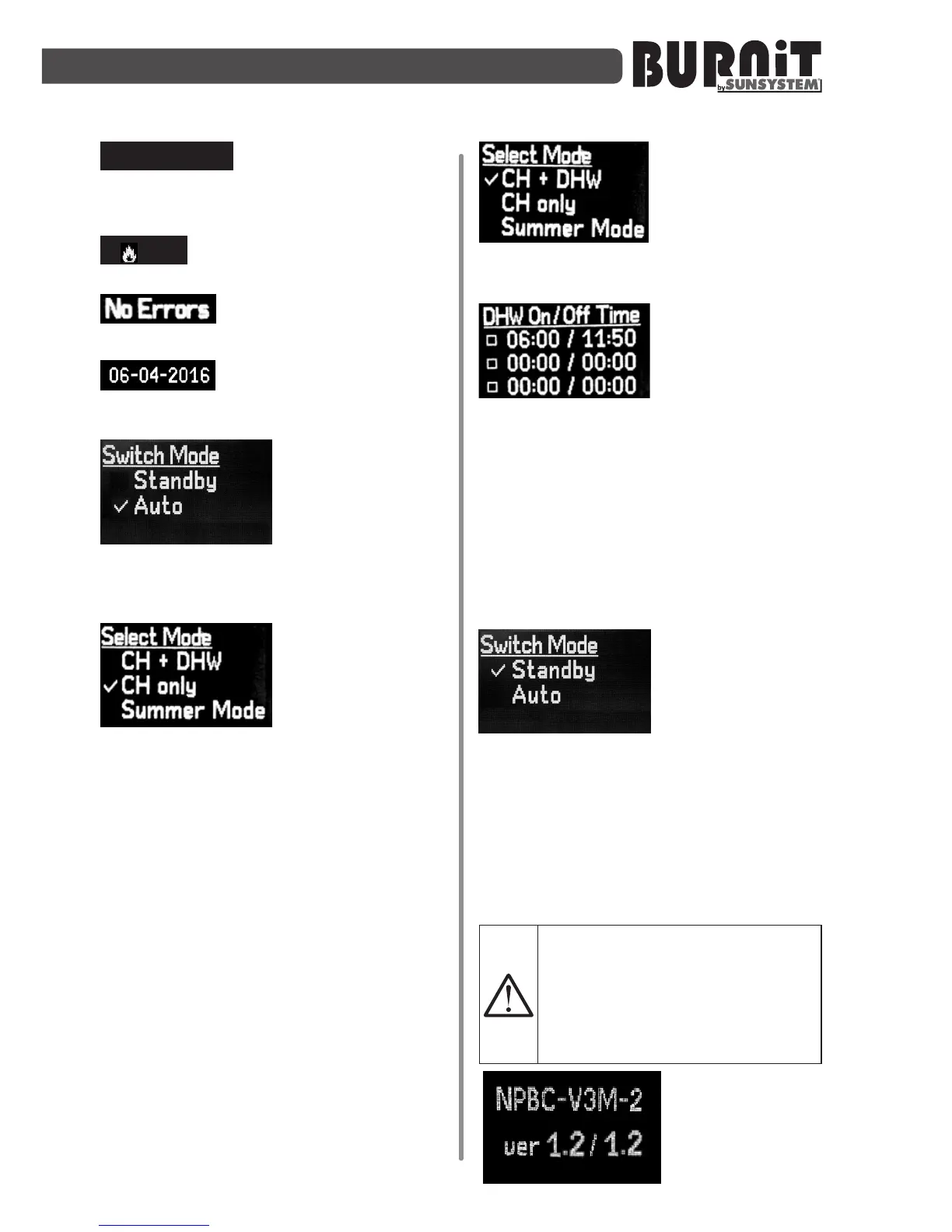
t
CH
=77°/70°
- Parameter t
CH
indicates
top and bottom buffer temperature
(visualized only in Buffer mode);
0
- Lightintensityintheburner
(in the range of 0 ÷ 190);
- Burner status (detected
errors, if any);
- Current date.
9.2.2.Burnerstarup"Switchmode"
Burner start-up.
Press “F” buon
and use „navigaon
arrows” to select
menu “Auto” or
menu „Standby”.
Pressing the "F" buon will open the
next page of the menu.
Set the priority
mode of the burner
through “navigaon
arrows.”
- CH + DHW – Both pumps /CH-central
heang pump and DHW – domesc
hot water pump /are acve.
- CHonly – In this mode of operaon the
only acve pump is the CH circulaon
pump for the heang installaon (CH
pump). In this mode, the boiler can
be managed via a room thermostat
or be temperature-controlled by the
temperature inside the connected
buer tank to it (depending on the
connecon scheme) (according to
wiring diagram).
- SummerMode – Summer mode. Boiler
works for heang of domesc hot water
only.
If you have selected
the (CH + DHW)
opon, upon
conrmaon of
command via the "F" buon you may
navigate to the next screen.
From this menu
you can set up and
adjust DHW pump
acvity periods.
Use the arrow keys to set me (HH:MM).
Use “Enter” buon to checkmark desired
me period opon.
If no opon is check-marked,
the controller will maintain DHW
temperature as a priority. Only when
its preset value is reached, the CH
circulaonpumpwill start.
9.2.3.Burnershut-down"Standby"
Pressing the “F”
buon will take you
to the main menu
and by using the
navigaon arrows
you can select the “Standby” menu and
conrm the selecon by pressing “F”.
The burner goes into exnguishing mode.
9.3. Installer's menu (seng the
combuson parameters in the burner
controller)
CAUTION! We recommend that
this menu be used only by an
authorized installer/service
shopinordertoensureecient
and safe operaon of the
equipment
To access the
settings
adjustment
mode,


 To Next Page