22
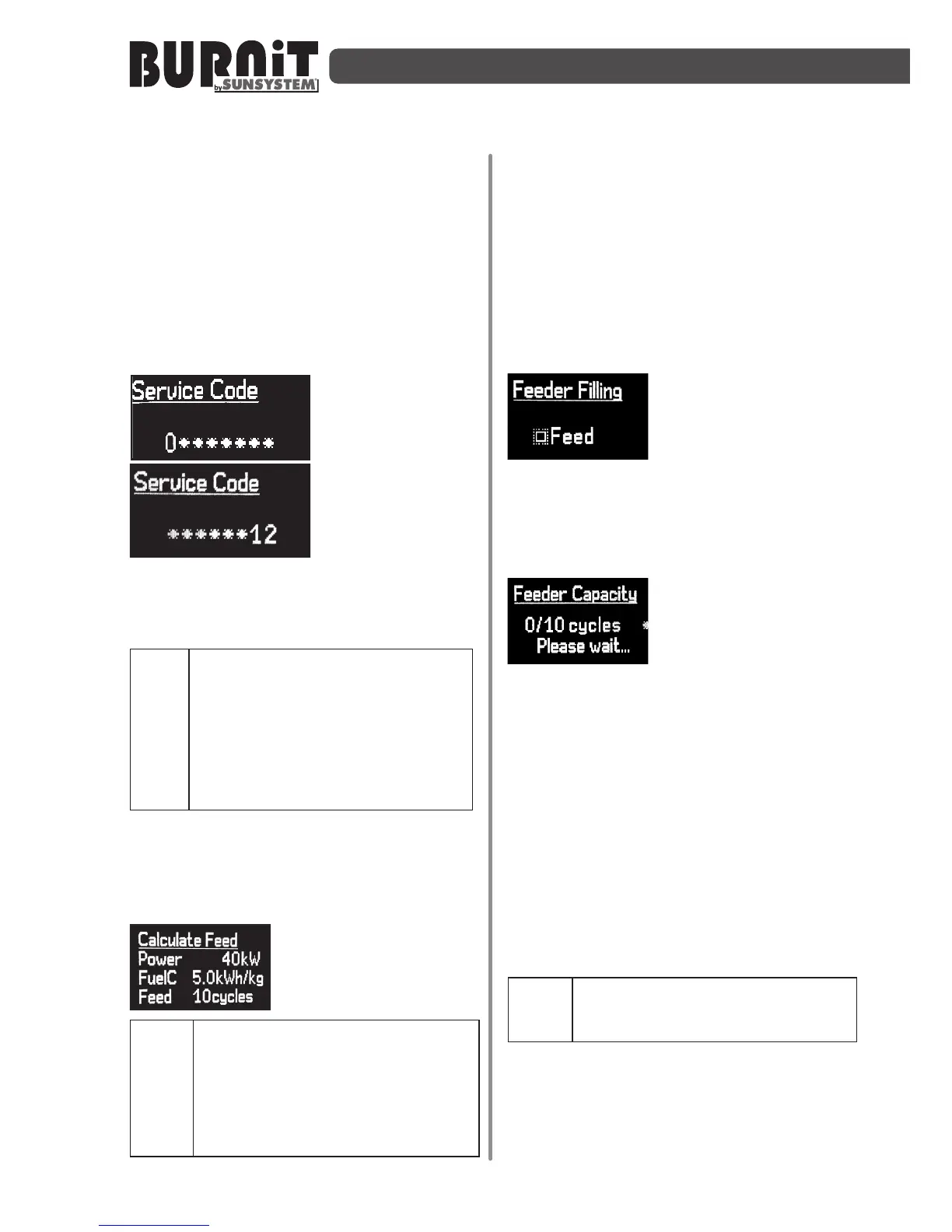
simultaneously press the “Enter” and „F”
buons and hold them pressed for 4 /
four/ seconds.
This will display the controller hardware
and soware version on the screen. Press
again buon “Enter” and this will open
the inial page for the burner sengs.
For access to service sengs menu you
need a service menu code.
The service menu
comprises only
and uniquely
parameters with
direct impact on
boiler combuson
process, as well as
on heang
installaon management (depending on
the peripherals management capacity of
the boiler digital controller unit).
Fuel switching and / or change
theconguraonoftheheang
installaon must be performed
by an authorized installer /
service. Some of these reasons
mayaectthesafeoperaonof
thefacility.
9.3.1.Menuforautomacdosepellets
formaximumpower
Calculaon of feeding:
Power - Enter the
maximum power of the
model of boiler.
Important: Please enter the
exact power. Seng of higher
or lower power than is wrien
onproduconlabeloftheboiler
can cause boiler damage or
physicalinjury.
Fuel C - Set the caloric value of used
fuel. The caloric value is marked on fuel
package.
Feed - Determine the number of cycles
for screw calibraon. When entering
a larger number of cycles will get more
precise results.
Press "F" buon to switch to next
submenu.
Filling of auger:
From this menu by
selecng "up arrow"
buon acvate
operaon of main auger of the boiler
(the auger in fuel hopper). Auger began
working constantly. If the auger is empty
will take about 20 min. to be lled- well.
Capacity of Auger:
When enter this
menu, controller
automacally start to
operate 10 cycles. During these operang
cycles the auger Switch-On and Switch-
O simulang normal operang behavior
for combuson process. Transported
by auger pellets during these cycles
should be collected (use a plasc bag)
and weighed when the last cycle is
completed. The number on right-side of
the screen shows how many cycles you
set for execuon. The number on le-
side of the screen shows which cycle is
currently running.
Pendingcompleonofallcycles
donotpressthebuonsdisplay
asitwillstoptheprocess!
When the last of these set cycles has been
executed, auger will stop automacally
and controller will acvate automacally
the oponWeight. When opon Weight
is acve enter the weight of pellets. To do


 To Next Page