7 | Start-up
/ 44
0870S03226_VRD 2072-3108_-
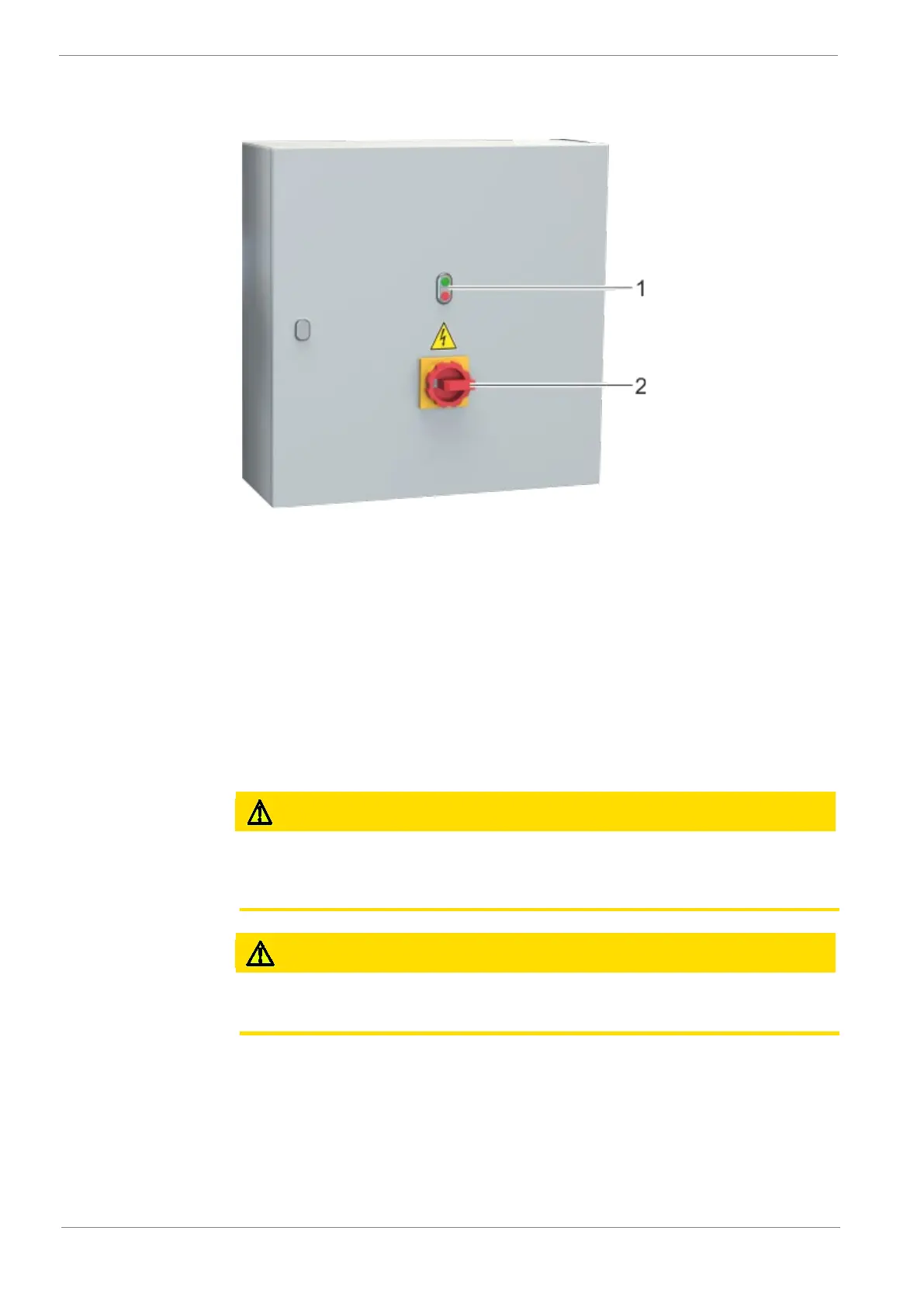
7.1.2 Display and control elements at the switching and control
cabinet
Fig. 10 : Switch and control cabinet
1. Double pushbutton (I / 0)
Double pushbutton for switching on and off the vacuum system
2. Main switch
Switch on and off the entire vacuum system
7.1.3 Indicators and control elements on the vacuum system
The indicating devices are as follows:
• Oil sight glass (OSG, Fig. 2) at the vacuum pump
7.2 Operation
Burn hazard!
The surface of the vacuum pump may reach operating temperatures in excess of 70 °C
in operation.
Do not touch the vacuum pump during and directly after operation.
Danger of hearing damage.
Noise development of the running vacuum pump.
Use hearing protection near the vacuum pump.
• Ensure that the installation conditions (chap. 6.1) are met.
• The permitted maximum number of starts (12) per hour must not be exceeded.
When the vacuum pump is operated under normal operating conditions, proceed as fol-
lows:
• Measure the motor current and record it for reference purposes for future maintenance
work and for troubleshooting.
• After a few minutes of vacuum operation, check the oil level and top up oil if neces-
sary.


 To Next Page