Host Adapter SCSI Terminators On. This setting allows you to enable or
disable host adapter SCSI termination. Only terminators on devices at both
ends of the SCSI chain should be turned on. Select Yes to enable or No to
disable termination. Press <ENTER> to toggle between selections. The de-
fault setting is Yes to enable SCSI
termination.
Configure Device
Configure Device options let you configure common SCSI and BIOSrelat-
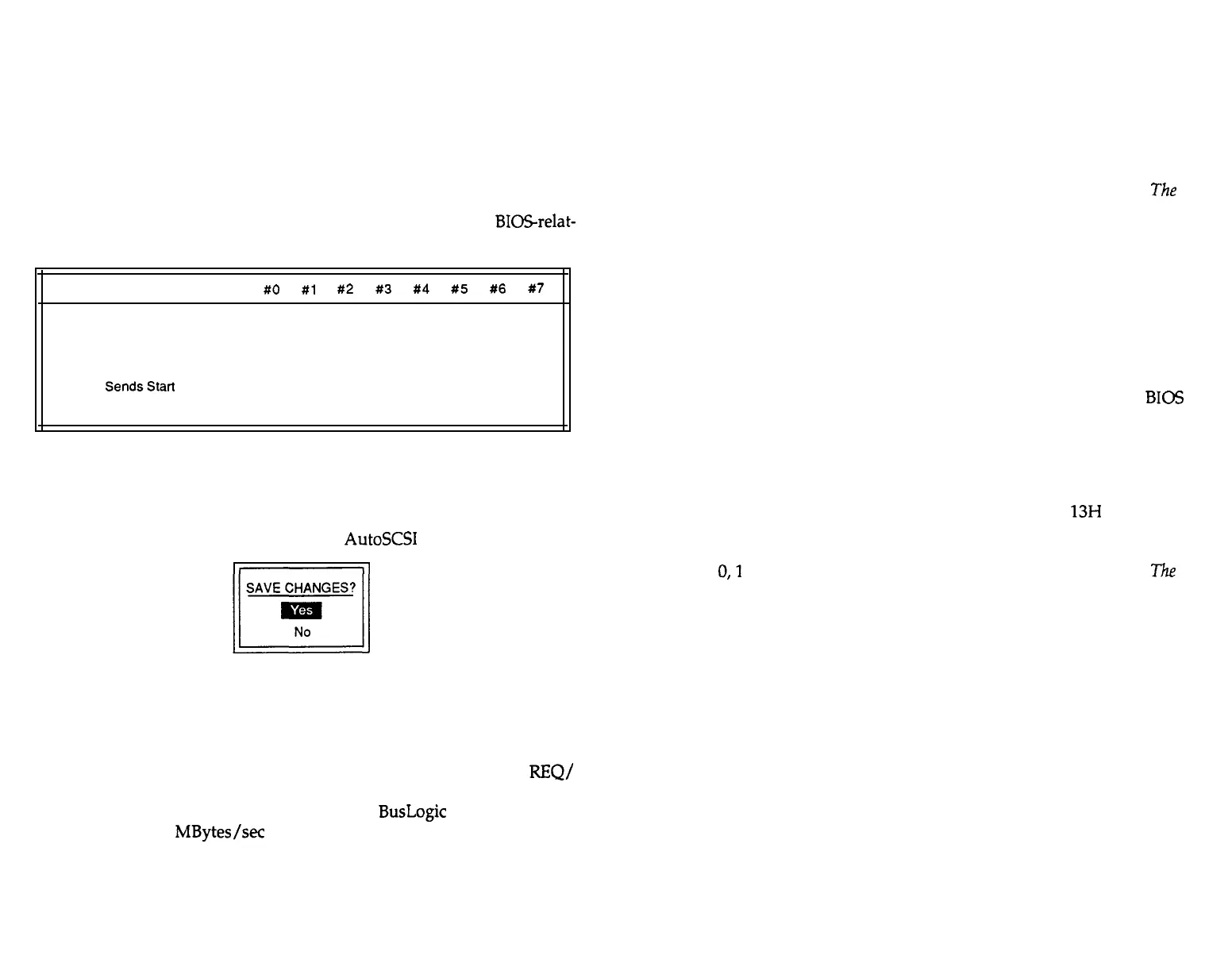
ed options. When selected, the following appears:
SCSI Device ID
#O
#l
#2
#3
#4
#5
#6
#7
Enable Sync Negotiation
Yes Yes Yes Yes Yes Yes Yes HA
Enable Disconnection
Yes Yes Yes Yes Yes Yes Yes HA
“‘BIOS Related Options, Applicable if BIOS is enabled”’
BIOS
SendsStart
Unit Command No No No No No No N O HA
Ignore in BIOS Scan
No No No No No No No HA
The host adapter, indicated as HA, is not a target device and, therefore,
cannot be configured from this table. All options are either Yes or No. Use
the Up and Down arrow keys to move to the desired option. Press <EN-
TER> to toggle between selections. If you make any configuration changes,
before you leave the Configuration Menu,
AutoSCSI
prompts:
When you select Yes, any configuration changes you have made are stored
in EEPROM. If you enter No, your changes are canceled.
Enable Sync Negotiation. Use this option to enable or disable the synchro-
nous data transfer negotiation between the host adapter and each SCSI de-
vice connected to the SCSI bus. The SCSI protocol determines the
REQ/
ACK offset and the data transfer rate for synchronous data transfers be-
tween an initiator and a target on the SCSI bus.
BusLogic
host adapters are
capable of up to 10 MBytes/set SCSI data transfers. However, the actual
data transfer rate is determined by the SCSI target device if the device has
a transfer rate lower than that of the adapter.
This option is offered because some classes of SCSI devices do not support
synchronous data transfer. An attempt to perform this negotiation protocol
may result in an unpredictable response from the SCSI device. Check your
SCSI device manual before enabling this option.
Select Yes to allow the adapter to initiate synchronous negotiation; select
No to allow the target device to initiate synchronous negotiation.
The
de-
fault is Yes.
Enable Disconnection. Use this option to enable or disable SCSI discon-
nection on each target device. This option allows a SCSI device to discon-
nect itself when the device is not ready for data transfer. When multiple
devices are connected to the same SCSI bus, SCSI disconnection allows
SCSI devices to perform seek operations in parallel and thus improve over-
all SCSI bus performance. The
default is Yes.
BIOS Sends Start Unit Command. This option allows you to identify the
SCSI devices whose motor spin up is sequentially controlled by
BIOS
at
power-up. This prevents all drives from spinning up at the same time. This
feature is only effective if BIOS is enabled.
The default is No.
Ignore in BIOS Scan. This option lets you exclude selected drives from
BIOS scan and registration. This feature is useful when you want to ex-
clude, for example, a removable device, from BIOS Int
13H
support. Use
this option if you want to allow BIOS to boot from something other than
the default target. For example, to have BIOS boot from SCSI ID 3, exclude
SCSI ID
0,l
and 2. This feature is only effective if BIOS is enabled.
The
de-
fault
is No.
3-8 n Adapter Configuration
Adapter Configuration n 3-9


 To Next Page