INSTRUCTION, USE AND
MAINTENANCE MANUAL
GB
Page 49 of 62
15.1.3 User management
The "User Management" function, by default, is disa-
bled. To enable it, proceed as described in Para 15.1.
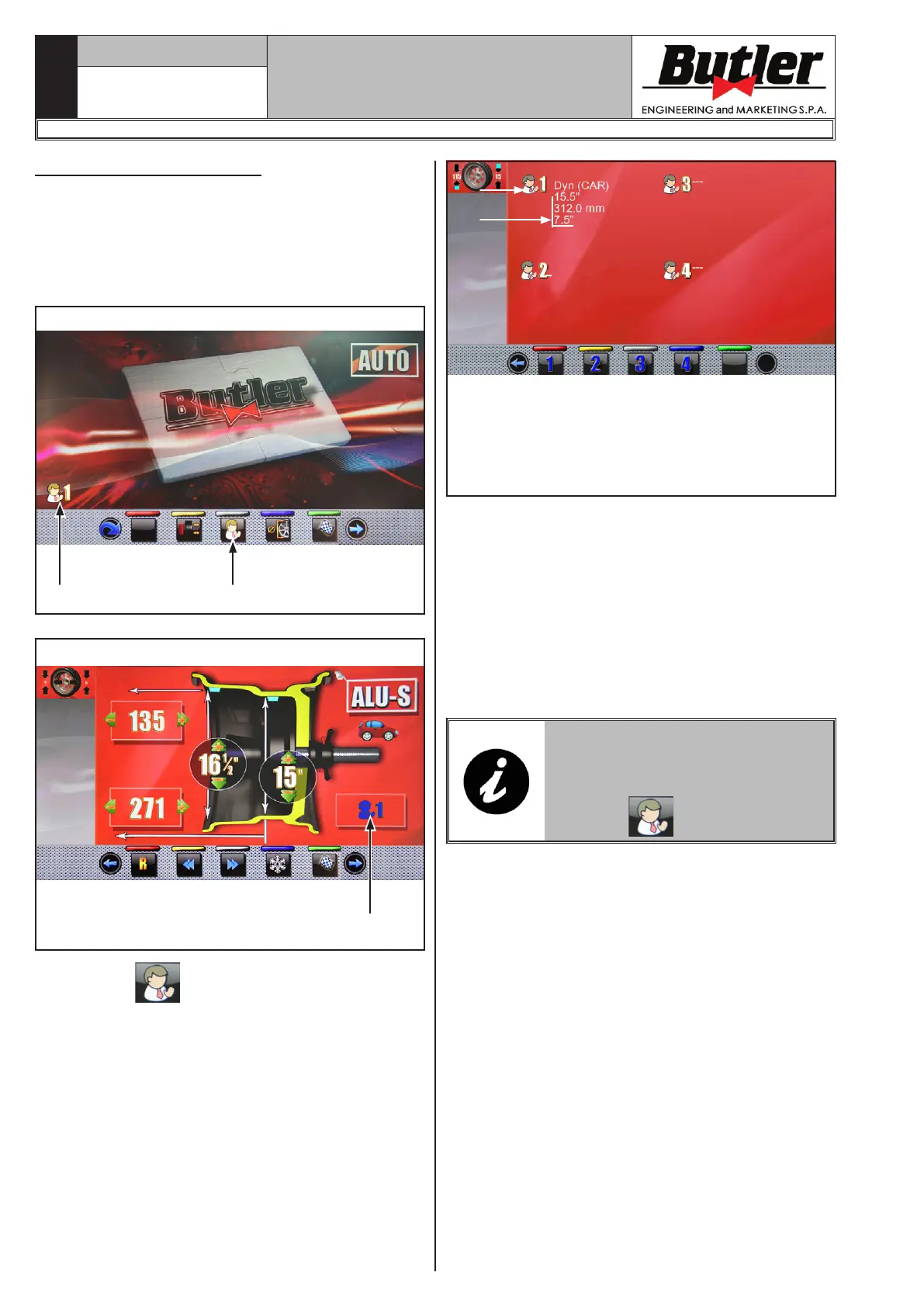
After enabling, the icon will be displayed on every page
(Fig. 52 ref. 1).
The wheel balancers can be used simultaneously by
4 different users.
Fig. 52
21
Fig. 53
1
Press button , shown on the monitor (Fig. 52
ref. 2) or select the field (Fig. 53 ref. 1) to display
he screen below:
KEY
A – Program used in the last carried out spin
B – Acquired measurements for the last carried
out spin
A
B
Press any of the available numbers beside the "User"
icon or on the buttons at the bottom of the page to
select the corresponding user.
The system stores the data relating to the last per-
formed spin according to the different operators. You
can recall the desired user each time the program dis-
plays the specific button (Fig. 52 ref. 2 and Fig. 53
ref. 1). The measurements stored for each user are
lost when the machine is switched off.
User management is valid for any wheel balancer
function.
TO ENABLE OR DISABLE THE
"USER MANAGEMENT" FUNCTION,
SEE PARAGRAPH 15.1. IF THE
FUNCTION IS DEACTIVATED, THE
BUTTON
IS DISPLAYED.
1297-M021-1_B
LIBRAK380.3DTEC - LIBRAK380P.3DTEC - LIBRAK430.3DTEC - LIBRAK430P.3DTEC



 To Next Page