EasyManua.ls Logo

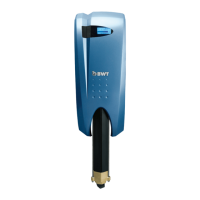
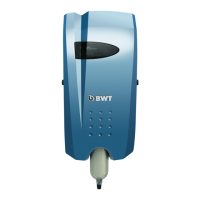
BWT THERO 90PRO - User Manual

BWT THERO 90PRO
27 pages
Print Icon
To Next Page IconTo Next Page
Loading...
BWT
THERO 90PRO
i
nstallation and opErating instructions i
EN

Questions and Answers

  • S
    Samantha CalderonAug 5, 2025
    How to fix a leakage in BWT THERO 90PRO?
    • T
      Tanya BrownAug 5, 2025
      If you notice a water leak inside your BWT Water Filtration System, where the inlet valve closes automatically, immediately disconnect the device from both the electricity and water supply. Then, carefully check the pump and pipes for any signs of damage, and dry the leak sensor.
  • P
    Paul QuinnAug 15, 2025
    What to do if my BWT THERO 90PRO has no water?
    • D
      dakota10Aug 16, 2025
      If your BWT Water Filtration System isn't dispensing water, several factors could be at play. First, examine the pre-filter for any blockages and replace it if needed. Second, inspect the check valves, opening them if necessary, and verify the flow pressure is within the RO working range of 1 to 4 bar. Lastly, if the inlet water pressure is too low, consider installing a pressure booster.
  • S
    shawnwoodAug 25, 2025
    What to do if my BWT Water Filtration Systems has a fault?
    • A
      Anthony AllenAug 26, 2025
      If your BWT Water Filtration Systems displays a fault and isn't working, begin by checking the power supply. If the power supply is adequate, the pressure sensor may need replacement, or you may need to inform service staff.

Summary

Introduction and Safety

Abbreviations and Subject Index

Defines key technical terms, abbreviations, and operational concepts for the device.

Scope of Delivery

Manufacturers Address

General Information

Reading the Installation and Operating Manual (IOM)

Stresses the importance of reading the IOM for safe and correct operation.

Warranty and Disclaimer

Responsibilities of the Operator

Description of Symbols Listed

Operating and Safety Notes

Proper Use

Specifies the intended purpose and correct usage conditions for the device.

Permissible Operation Method

Details the correct operational procedures and hygiene standards.

Impermissible Operating Methods

Procedure Following an Extended Stoppage of Operation

Description of Process

Requirements for Installation

Installation Site of the RO Unit;Requirements

Specifies the ideal location and environmental conditions for installing the RO unit.

Requirements of the Feedwater

Operating Pressure

Installation and Assembly

Hydraulic Installation

Provides instructions for connecting the device to the water supply network.

Operating the Reverse Osmosis Unit

Switching On the RO Device

Explains the procedure for powering on the device and its indicator LED.

Setting Water Quality and RO Cartridge Replacement

Setting Water Quality using the Blending Valve

Describes how to adjust the water blend using the integrated filter head valve.

Removing and Installing a New RO Cartridge

Provides step-by-step instructions for replacing the RO cartridge.

BWT RO App Installation and Operation

Troubleshooting Overview

Overview of Status and Alert LED

Explains the meaning of LED colors and device statuses for diagnostics.

Troubleshooting Common Errors

Troubleshooting App Screen Errors

Lists common errors, their causes, and remedies as shown in the app.

Repairs and Maintenance

Maintenance and Wearing Parts

Details maintenance tasks, responsibilities, intervals, and safety precautions for parts.

Cleaning and RO Cartridge Notes

Disposal and Safety Standards

Technical Data

Appendix: App Connection - Step 1

Appendix: App Connection - Step 2

Appendix: App Usage - Step 3

Appendix: App Usage - Step 1 (Status)

Appendix: App Usage - Step 2 (Operating Data)

Appendix: App Usage - Step 3 (Rinsing)

Appendix: App Usage - Step 4 (Service Status)

Appendix: Service Menu Settings - Step 1 (Access)

Appendix: Service Menu Settings - Step 2 (Service Days & Pre-filter)

Appendix: Service Menu Settings - Step 3 (Counter Reset)

Appendix: Service Menu Settings - Step 4 (Reset History)

Appendix: Service Menu Settings - Step 5 (Software;App Release)

BWT THERO 90PRO Specifications

General IconGeneral
BrandBWT
ModelTHERO 90PRO
CategoryWater Filtration Systems
LanguageEnglish

Related product manuals