iNetVu New Gen Troubleshooting Guide
C-COM Satellite Systems Inc.
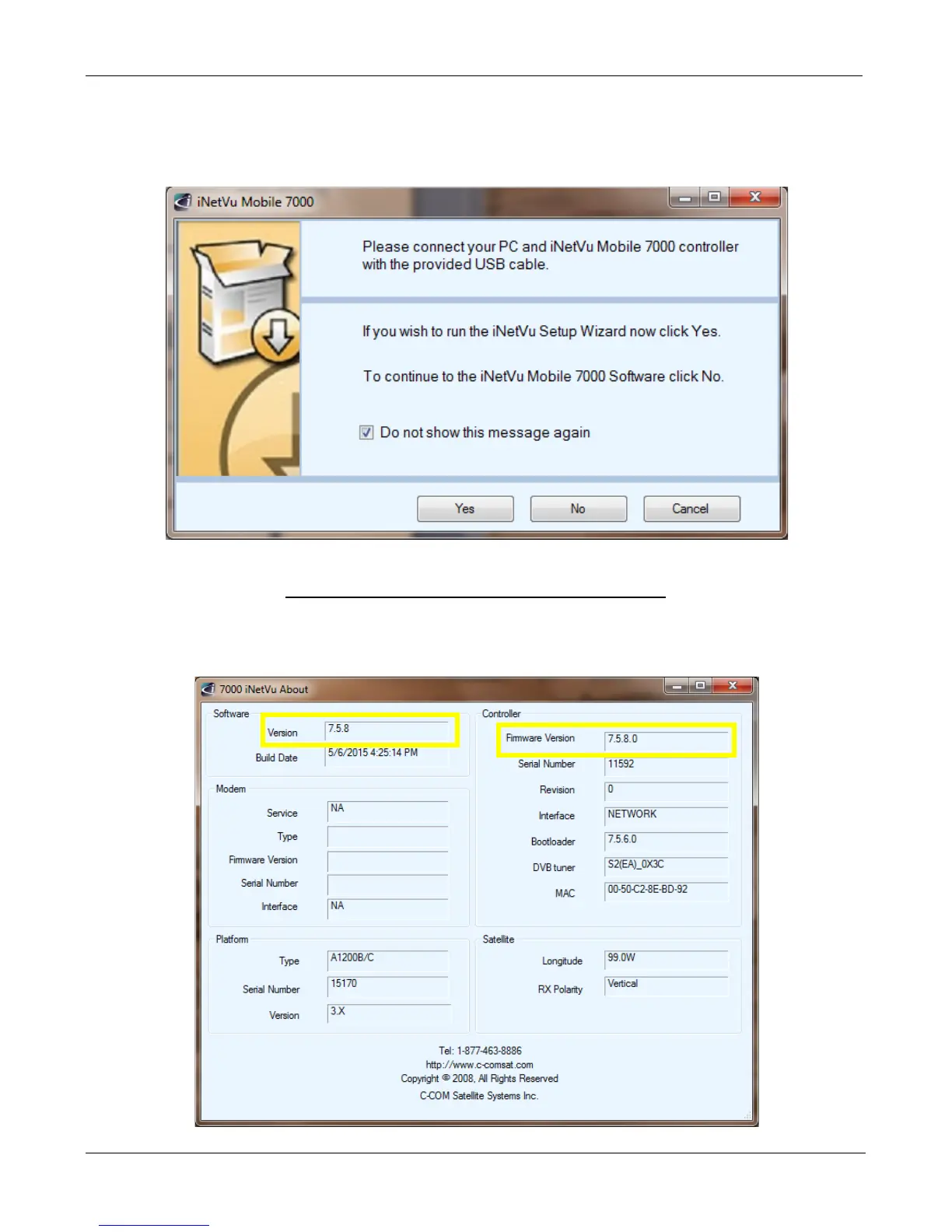
8. Now that the controller has been configured, launch the software again selecting NO to
continue to the iNetVu Mobile 7000 Controls Screen. You may also wish to stop this prompt
from reappearing.
Verifying the Upgrade Completed Successfully
9. From the Controls screen, right click and select “About”. Verify both Software and Firmware
versions are identical.


 To Next Page