iNetVu New Gen Troubleshooting Guide
C-COM Satellite Systems Inc.
Step 3: Testing the Sensor Cable.
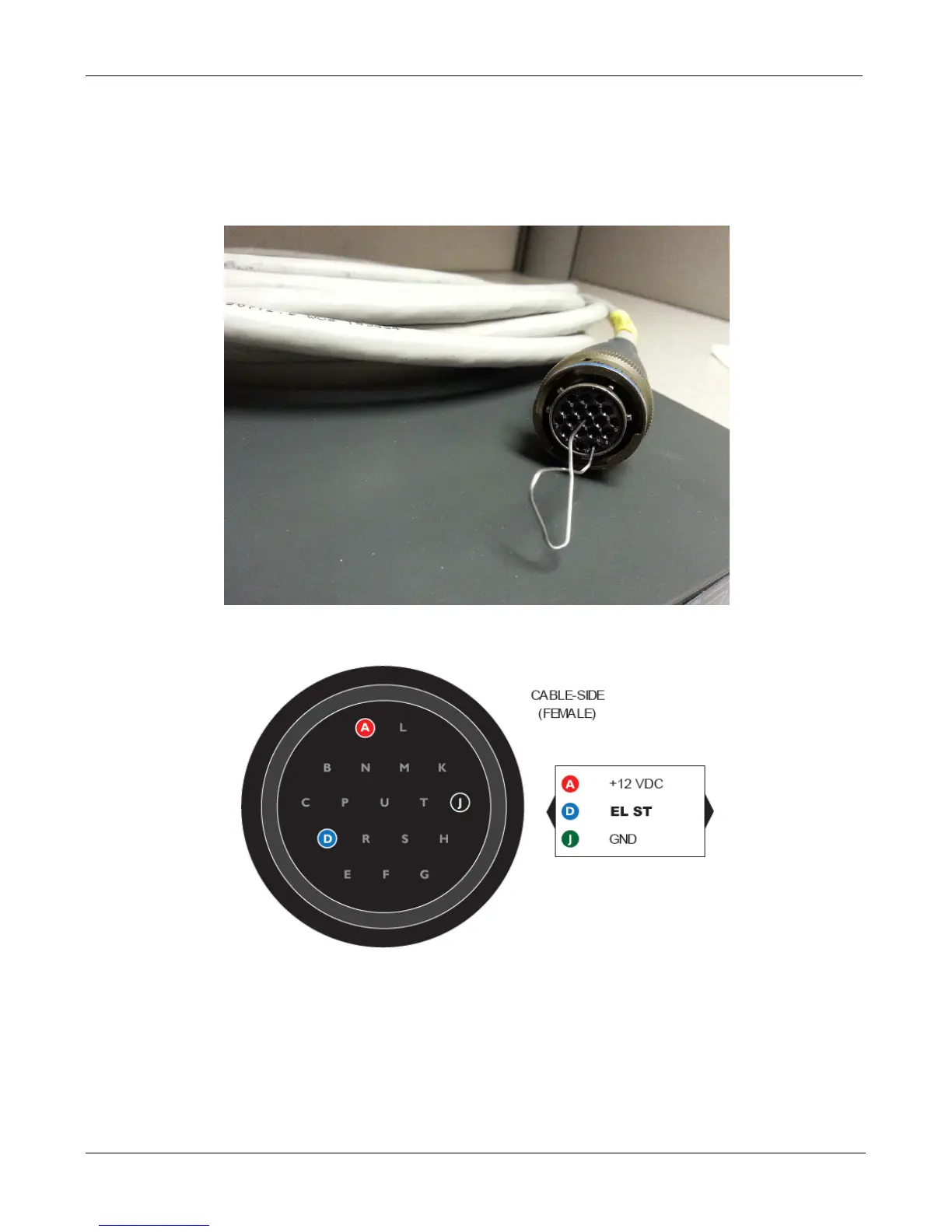
a. Disconnect the sensor cable from the Platform and place the paper clip on the sensor cable
shorting out pins corresponding to the Switch you wish to test.
A&D for EL ST
b. From the iNetVu Mobile 7000 Controls screen does the Elevation ST come ON?
If YES, this concludes the Wiring Harness has failed
If NO, proceed to Step 4


 To Next Page