iNetVu New Gen Troubleshooting Guide
C-COM Satellite Systems Inc.
ERROR 0x8911 - Sensor Errors
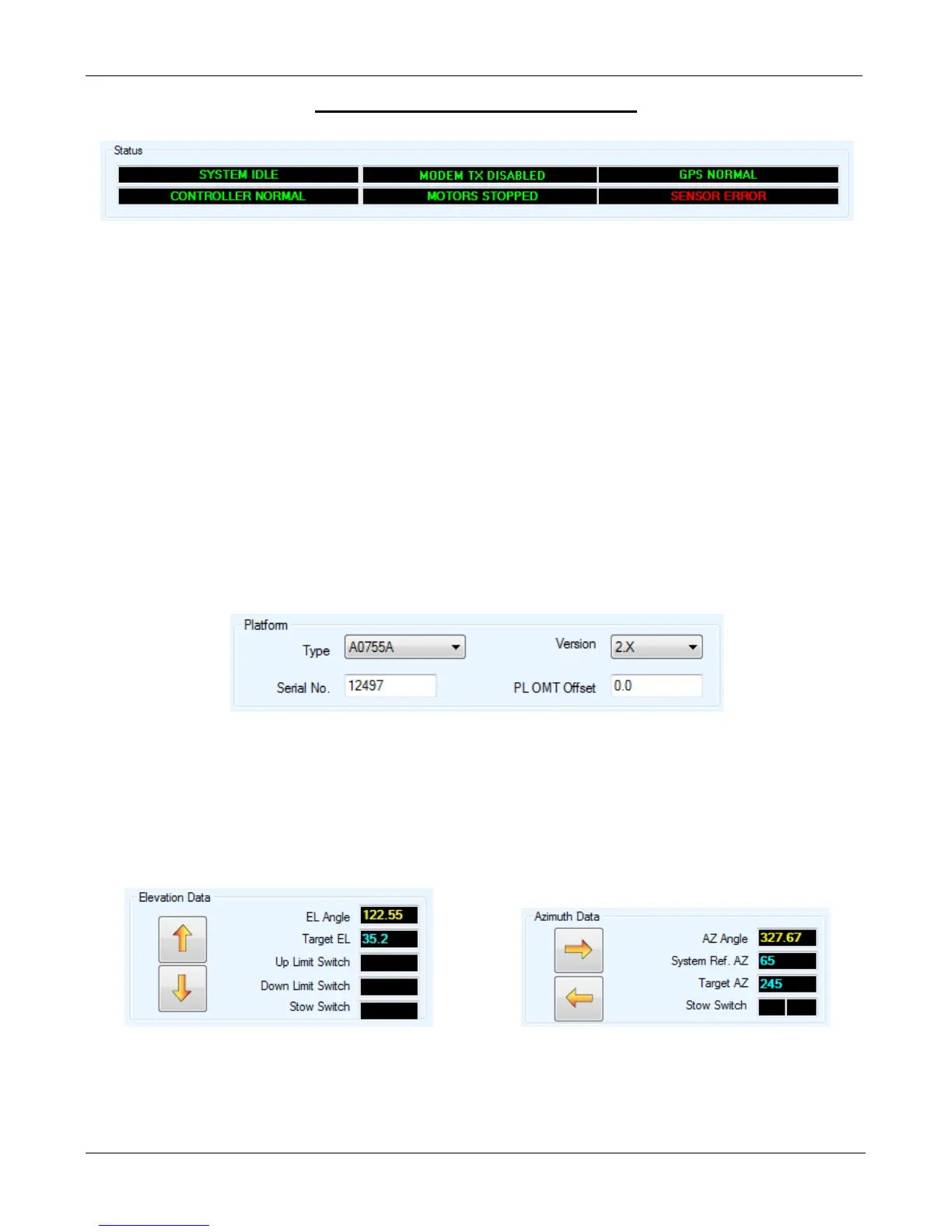
The “Sensor Error” message will only appear if sensor cable becomes loose from the controller end,
and only in the stowed position. If any of the angles are in RED/YELLOW this will still indicate a
sensor related failure and should be treated as such.
Possible failed components include:
• Sensor Cable (Although the Legacy and New Gen Sensor Cables appear the same they are
NOT interchangeable)
• Azimuth Encoder
• Elevation Tilt Sensor
• Wiring Harness
• 7000 Controller
Solution:
Step 1:
a. From the Maintenance Screen, ensure the correct Platform Type is selected.
b. Ensure that the sensor cable from the Controller and Platform side is properly connected
and not damaged. Clean and reseat all related sensor cable connectors.
c. Using the manual controls move the platform on AZ or EL to see if the angle updates.
d. If the EL/AZ angle is still incorrect or is flashing Red/Yellow. Proceed to step to the next
step.
Example A: Elevation Sensor Failure Example B: Azimuth Sensor Failure


 To Next Page