iNetVu New Gen Troubleshooting Guide
C-COM Satellite Systems Inc.
Installing the 7000 Series Controller Software Version 7.5.8
Please Note: Do not connect the Controller via USB until the drivers and software have been installed
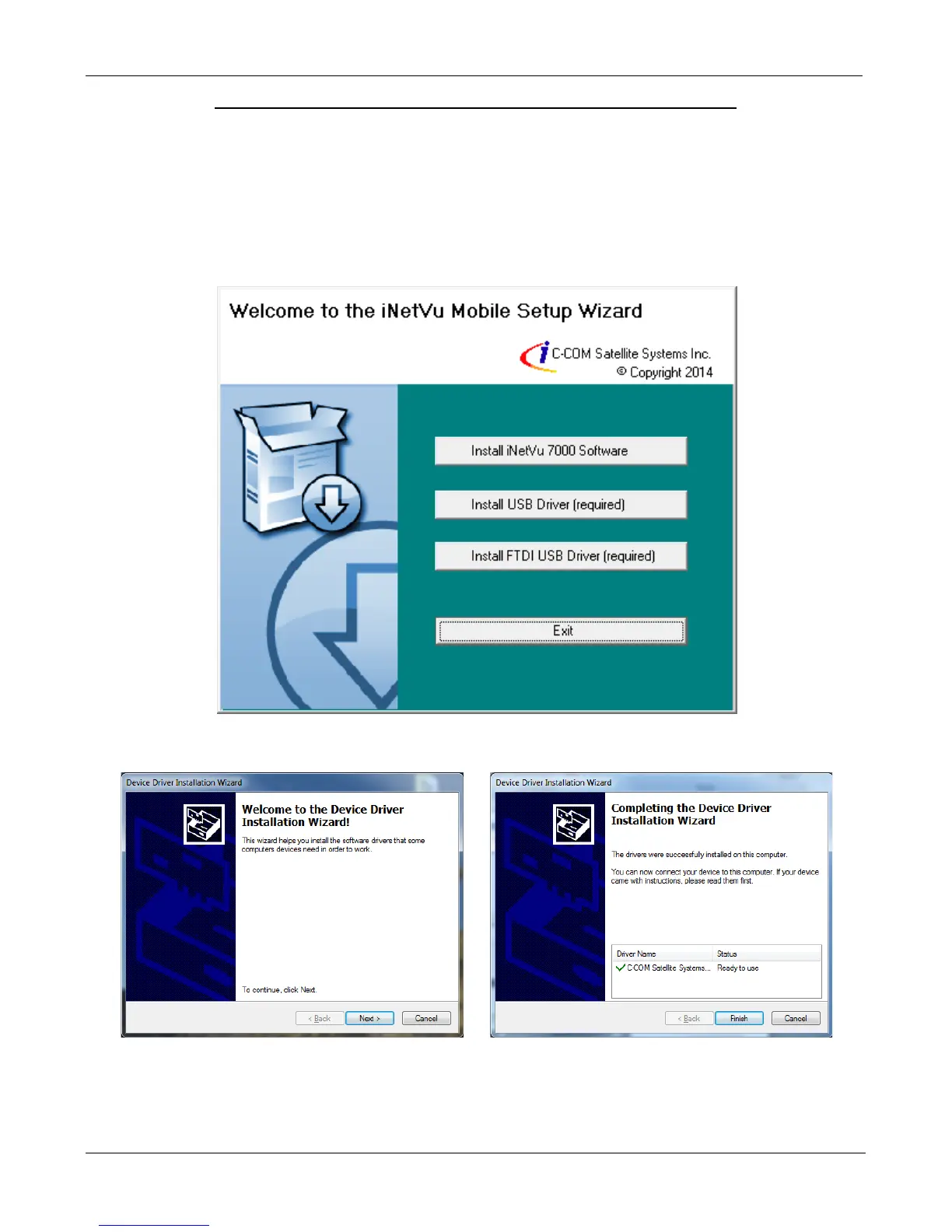
1. If you are installing from the USB flash drive or have downloaded from the C-COM FTP, run
the iNetVu7000Setup.exe file.
2. Install both the USB and FTDI USB Drivers.
3. Install the USB Driver and close when completed.


 To Next Page