iNetVu New Gen Troubleshooting Guide
C-COM Satellite Systems Inc.
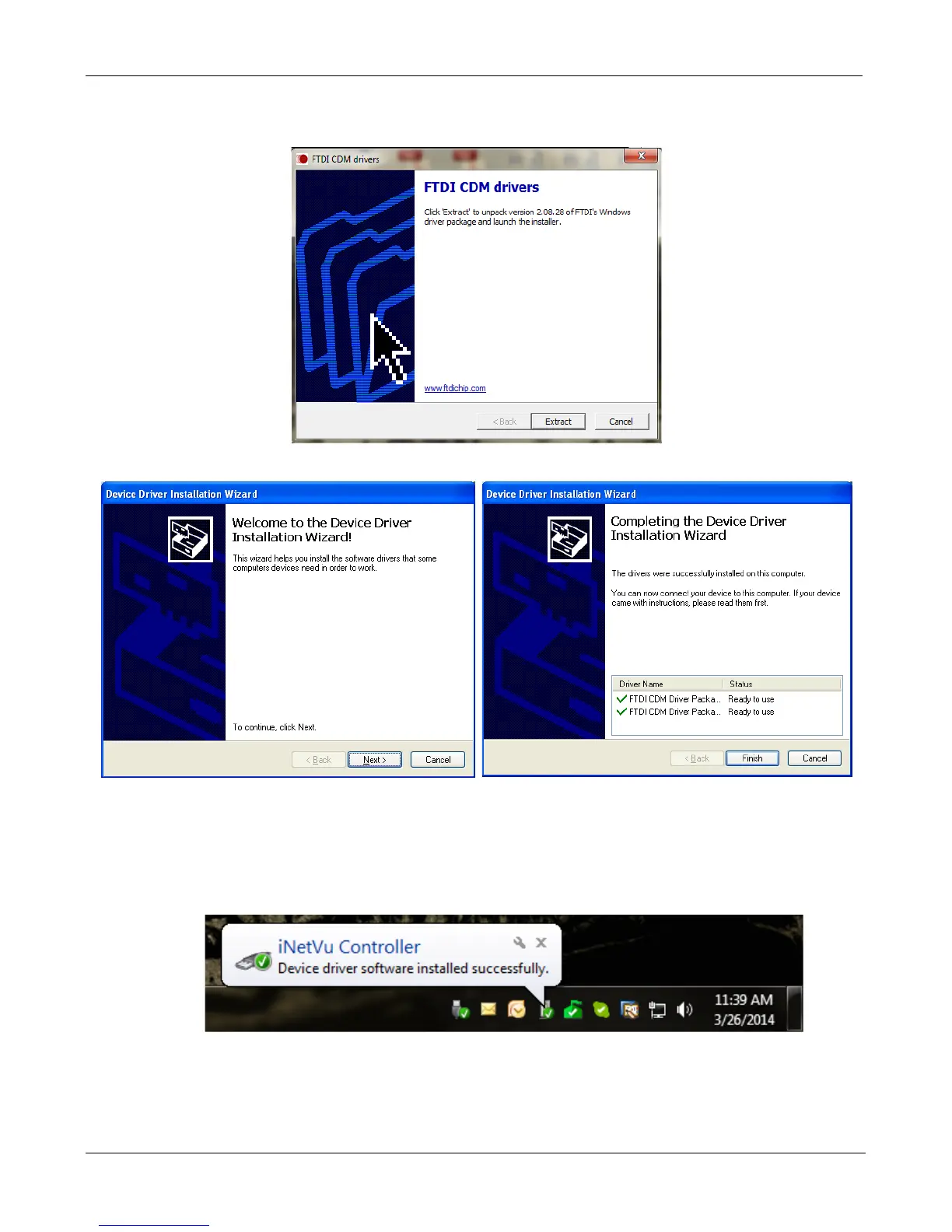
4. Install the FTDI USB Driver and close when completed.
Click “Extract”
Click “Next” Click “Finish”
5. Install the iNetVu 7000 Software and close when completed.
6. Connect the Controller using the provided USB cable. Windows Vista and 7+ users, the
drivers should install automatically without any further user action.


 To Next Page