iNetVu New Gen Troubleshooting Guide
C-COM Satellite Systems Inc.
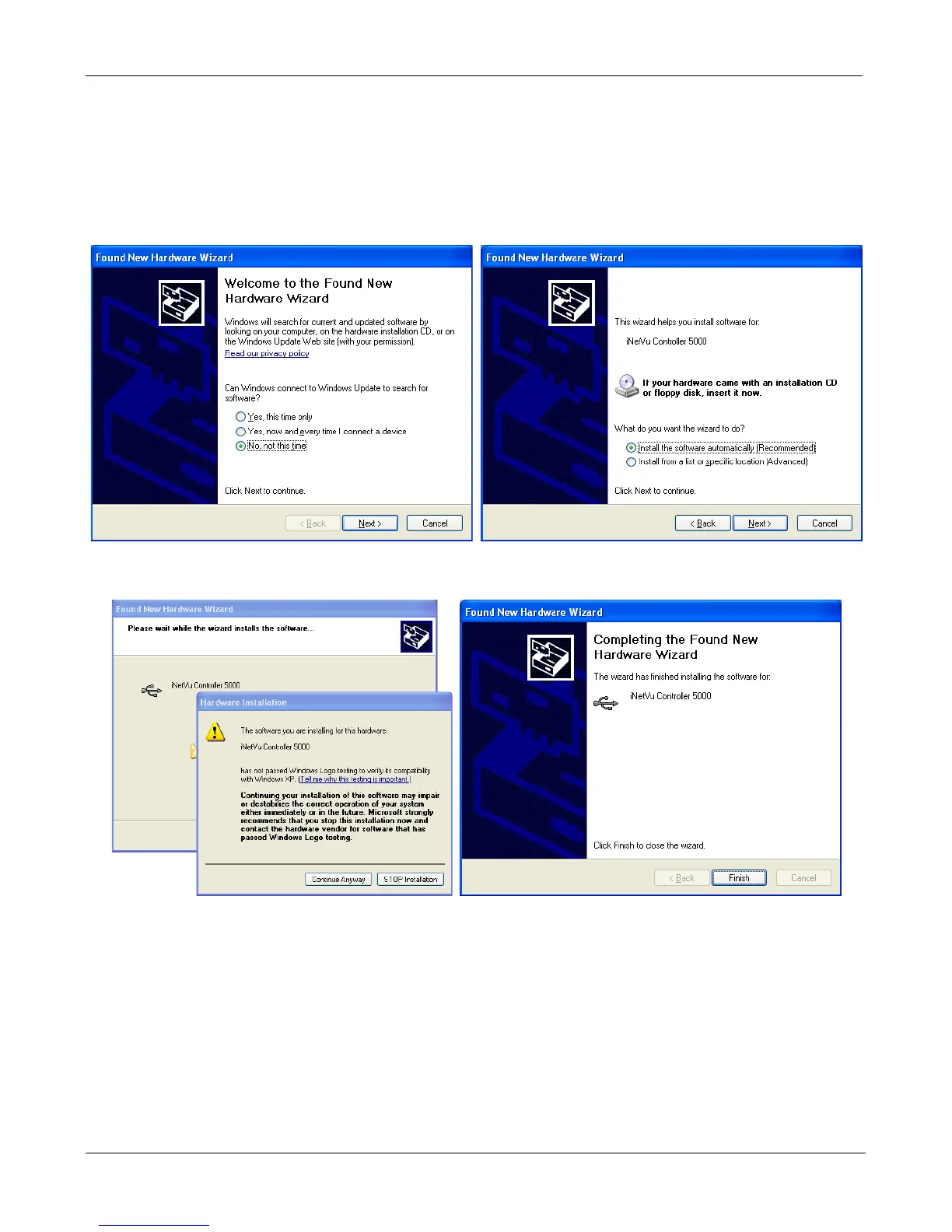
7. Windows XP users will have to follow the new hardware wizard and let windows automatically
install the drivers.
Select “No, not this time” Select “Install the software automatically”
Click “Continue Anyway” Click “Finish”
8. You have successfully installed the 7000 iNetVu Drivers and Software. Exit the setup wizard.
9. You can now run the iNetVu Mobile 7000 software from the shortcut on your desktop.
10. If this is an upgrade we must update the Controller Firmware. Pease use the setup wizard on
the next page to continue.


 To Next Page