iNetVu New Gen Troubleshooting Guide
C-COM Satellite Systems Inc.
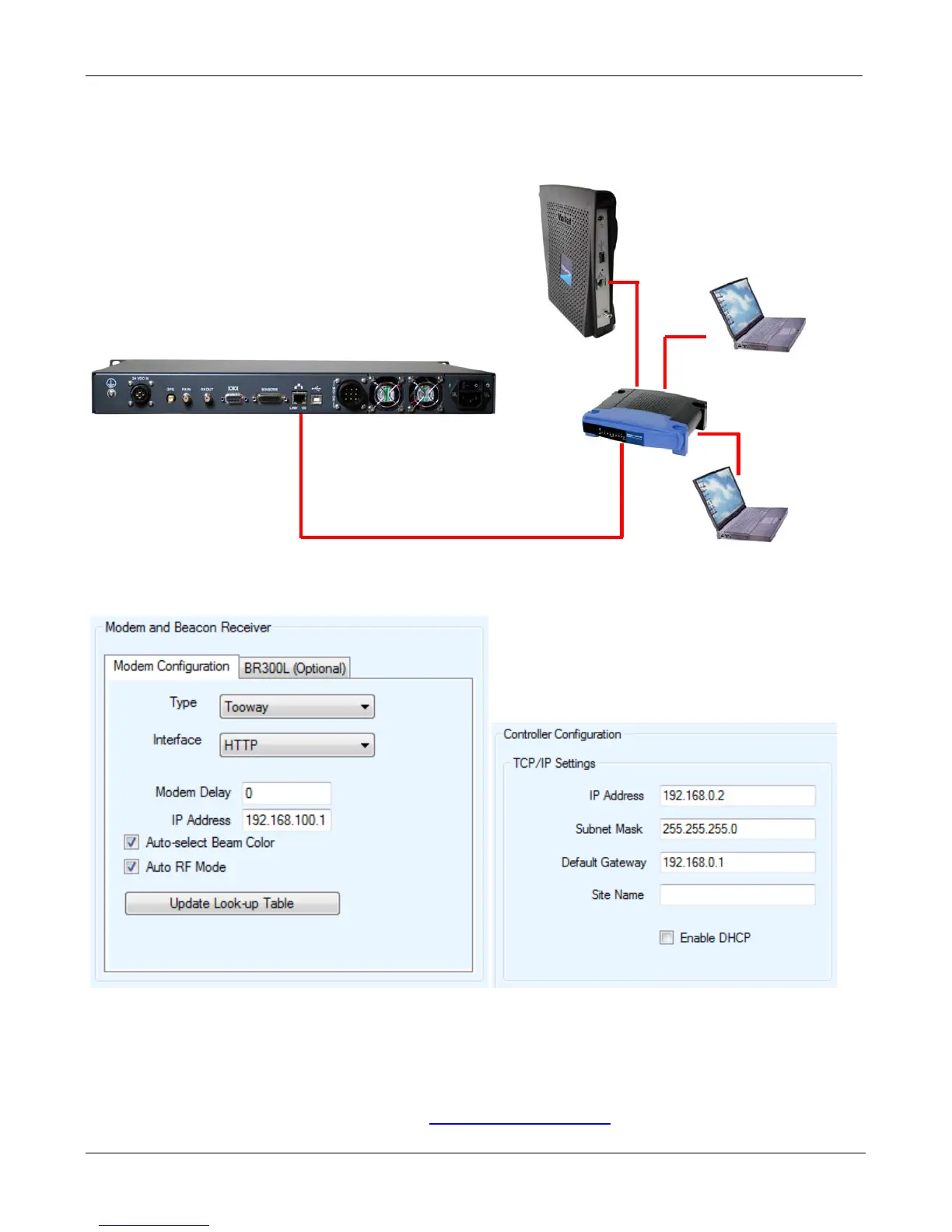
a. Ensure the Controller and Modem is connected correctly. Please refer to the iNetVu 7000
Quick Start Guides for more details.
b. Verify the controller and modems IP address are correct.
c. Connect the Modem directly to the Controllers Ethernet port bypassing any routers, hubs or
switches.
d. Swap out the Ethernet Cable.
Please contact C-COM Technical Support at
support@c-comsat.com for further assistance.
Network Cable
Gateway IP: 192.168.1.1
Controller IP: 192.168.1.2


 To Next Page