Starting an ESD Simulation
72
CAEEndoVR
PN: 165K400000
The PEDALS menu will only appear when a tool (except for the endo clips) is selected from the TOOLS
menu. When a tool is selected, the tool’s default configuration of the left and right pedals will be
visible. The user can view the other available pedal configurations associated to that tool by clicking
on the default pedal configuration.
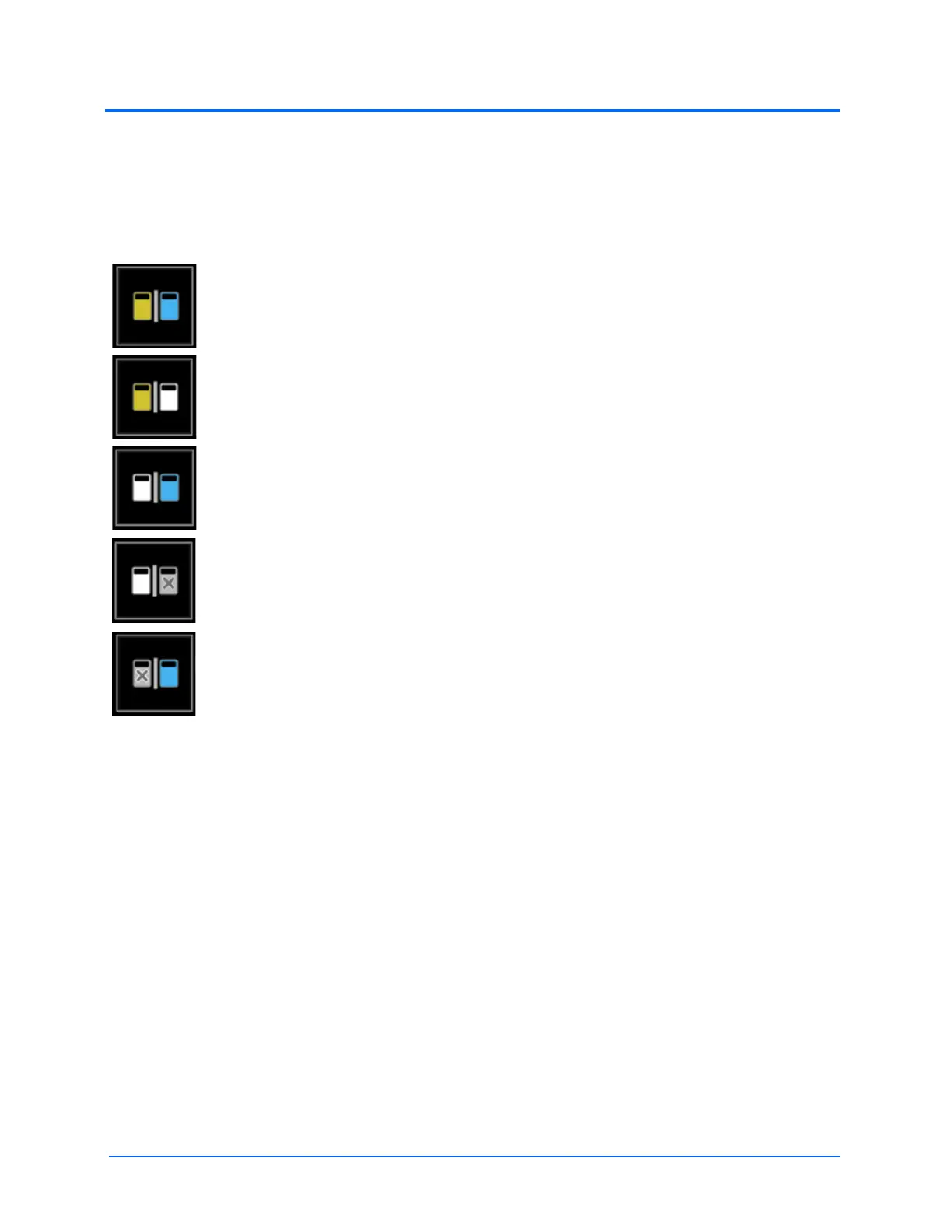
Depending on the active tool, the PEDALS menu can contain the following available pedal
configurations:
Note: only one pedal can be physically pressed and take effect in simulation at a time.
The Cut/Coag configuration assigns the cutting functionality to the left pedal and the
coagulation functionality to the right pedal.
The Cut/Inject configuration assigns the cutting functionality to the left pedal and the
injecting saline solution functionality to the right pedal.
The Inject/Coag configuration assigns the injecting saline solution functionality to the
left pedal and the coagulation functionality to the right pedal.
The Inject/None configuration assigns the injecting saline solution functionality to the
left pedal and no functionality to the right pedal.
The None/Coag configuration assigns no functionality to the left pedal and the
coagulation functionality to the right pedal.



 To Next Page