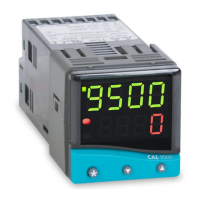
Autotune
The TUNE AT SETPOINT program will now start. The
controller will alternately display TUNE and the
process temperature.
Note: During tuning the main setpoint (SP1) LED will flash.
When the TUNE AT SETPOINT program is complete the
alternating display stops and the process temperature is
displayed. The PID values are entered automatically. The
process temperature will rise to setpoint and control should
be stable. If not, this may be because optimum cycle time
is not automatically implemented. To set the cycle time see
PROPORTIONAL CYCLE-TIME.
When the TUNE program is complete the alternating
display stops and the process temperature is displayed.
The PID values are entered automatically. The process
temperature will rise to setpoint and control should be
stable. If not, this may be because optimum cycle time is
not automatically implemented. To set the cycle time see
PROPORTIONAL CYCLE-TIME.
TUNE AT SETPOINT PROGRAM
Enter program mode and select TUNE
The controller will alternately display TUNE and
oFF
.
Select TUNE
At.SP
.
The controller will alternately display TUNE and
At.SP
.
Exit program mode.
REMINDER OF INSTRUMENT ADJUSTMENTS
Press ▲ ▼ together for 3 seconds for program entry or exit.
Press ▲ or ▼ to scroll through functions.
Press ✱ ▲ together or ✱ ▼ together to change levels or
alter options.
Note: If in difficulty by becoming “lost” in program mode,
press ▲ and ▼ together for 3 seconds to return
to display mode, check the Menu Navigation
summary above and try again.
8


 To Next Page