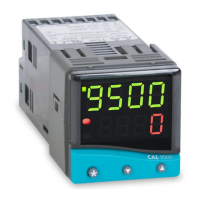
QUICK START
After power-up the controller requires programming with
the following information:
Type of Sensor (See list of temperature sensors p.31)
Operating unit (See list of units p.18)
Allocation of Output Device to SP1/SP2 (Relay or SSd)
Temperature Setpoint eg. Degrees
When the above information has been programmed into the
controller it will be operational with the following factory
settings.
Proportional band/Gain 10ºC/18ºF
Integral time/Reset 5 mins
Derivative time/Rate 25 secs
Proportional cycle-time 20 secs
(Typical setting for relay output)
DAC Derivative approach control 1.5
(Average setting for minimum overshoot)
NB: Please note that in the manual, functions are reversed
out from a black background and options are shown in
bold italic;
eg. TUNE and
ParK
Quick Start
Note: In this manual the letter k is represented by the
character K
Copyright CAL Controls Ltd. 1997
Not to be reproduced without prior written permission from
CAL Controls Ltd. Whilst every effort has been made to ensure
the accuracy of the specifications contained in this manual,
due to our policy of continuous develpment, CAL Controls Ltd
reserves the right to make changes without prior notice.
1a
Note: During the following procedure the display will revert
to alternating INPT and
nonE
after 60
seconds of key inactivity, but will retain any
settings already completed. Should this occur, or in
the event of becoming ‘lost’ in the program, please
start again from the alternating INPT and
nonE
display.
QUICK START SET-UP
On power-up the controller will display the self test
sequence followed by alternating INPT and
nonE
1 Select input sensor.
Press and hold ✱ and use the ▲ or ▼ buttons to
scroll through the sensor selection
list until the correct sensor is
displayed. Release the buttons.
The display now alternates selected
sensor type (eg. INPT and
Tc.S
)
Press ▲ once The display will now alternate UNIT
and
nonE


 To Next Page