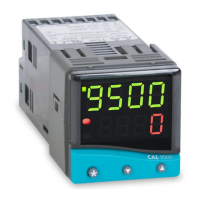
Advanced Settings
Before embarking on the Advanced Settings, please
familiarise yourself with the basic operation of the controller
as described in this manual. The following instructions
assume that the user understands how to make the initial
configuration, can navigate through the Function Menu and
successfully Autotune the controller in heating mode.
HEAT COOL STRATEGY CONFIGURATION
Using SP2.A
Cool
option
Heat-Cool strategy is a feature that improves control of
processes that need heating and cooling, depending on the
conditions, for example:
Environmental test chambers used in rooms
where the ambient temperature swings above
and below the test temperature.
Plastics extruders where the material initially
needs heating, then cooling, when it begins to
heat itself exothermically due to pressure and
friction applied by the process.
The purpose of cool strategy is to maintain smooth control
of the process during transition from heating to cooling.
This is achieved by using PID control for heating and cooling
with the proportioning bands linked by an adjustable
deadband.
From cold (normal procedure on a new installation)
Enter setpoint and allow the process to reach the setpoint
using factory settings for heating only.
Autotune at setpoint
Make the following pre-settings:
Level 1 set DAC to
1.0
CYC.T to
10
and CYC.2 to
10
Level 2 set SP2.A to
Cool
Level 1 set TUNE to
At.SP
Autotune will cause a temporary disturbance. Check that
the temperature has stabilised in heating mode before
running the process in cooling mode.
If regular temperature oscillations occur, change
CYC.t
to
optimum value. See page 9. To select Autotune Calculated
Cycle-time
Further adjustments – Cooling
Autotune uses the same calculated BAND value for
both
SP1
(heating) and
SP2
(cooling). In some processes,
regular temperature oscillations occur when cooling.
Make the following manual adjustment:
In level 1 double the value of BND.2
ADVANCED SETTINGS
23


 To Next Page