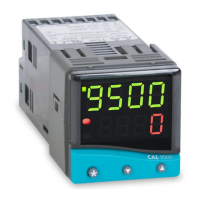
Programmer
RAMP-SOAK
This feature enables the controller to ramp up or down from
current temperature to a target setpoint at a pre-
determined rate. It then controls at the target setpoint for
an adjustable soak period before switching off the heat
output.
Set
Ramp rate (0 to 9995 deg/hour)
Press ▲ and ▼ buttons for 3 seconds to enter program
entry point TUNE
Press ▲ to scroll to SPRR
Press and hold ✱, then press ▲ or ▼ to scroll to required
value.
Set Soak (if required) 0 to 1440 minutes
Press ▲ to scroll to SOAK
Press and hold ✱, then press ▲ or ▼ to scroll to required
soak period.
Set Ramp On (Off) : On : hold
Press ▲ to scroll to SPRN
Press and hold ✱, then press ▲ to select On
Exit program to enter settings into memory and commence
ramp to target setpoint.
Notes
In Ramp on configuration, if power is removed from the
controller, the Ramp will re-start when power is restored.
The Ramp hold option suspends the ramp at its last value.
If no Soak period has been set, control at target setpoint
continues indefinitely.
SP2 deviation alarms follow the ramp setpoint and can be
used to alarm “out of limits” ramp rate.
WARNING
The Soak timer is triggered when the ramp setpoint reaches
the target setpoint. If the ramp rate is set too fast for the
process, the Soak timer will be triggered before the process
temperature reaches the target setpoint.
PROGRAMMER


 To Next Page