Grade Form a t s
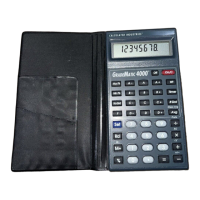
The following shows the diff e rent dis-
play formats of the GradeMatic 4000.
The GradeMatic 4000 can be used to
easily convert between form a t s .
K e y s t rokes D i s p l a y
[Set] [
•
] (P t s) 3 1 6 8 . 6 B
[Set] [2] (G % *) 3 8 4 . 3 3 B
[Set] [4] (G PA 4) 3 2 . 9 3 B
[Set] [5] (G PA 5) 3 3 . 9 3 B
[Set] [6] (G PA 12) 3 8 . 8 0 B
[Set] [1] (% *) 3 8 4 . 3 3 B
* N o t e : Grade Percent (G%) and Tru e
P e rcent (%) will reflect the same values
unless an irregular custom scale is entere d .
C o n v e rt Raw Scores to Letter Grades
Using the [# Grade] Key
This exercise teaches you how to use
the [# Grd] key to convert raw score s
to letter grades. Also, the count will
re p resent the number of students, not
the number of grades p e r student.
2 8 – GradeMatic 4000
™


 To Next Page
 Loading...









