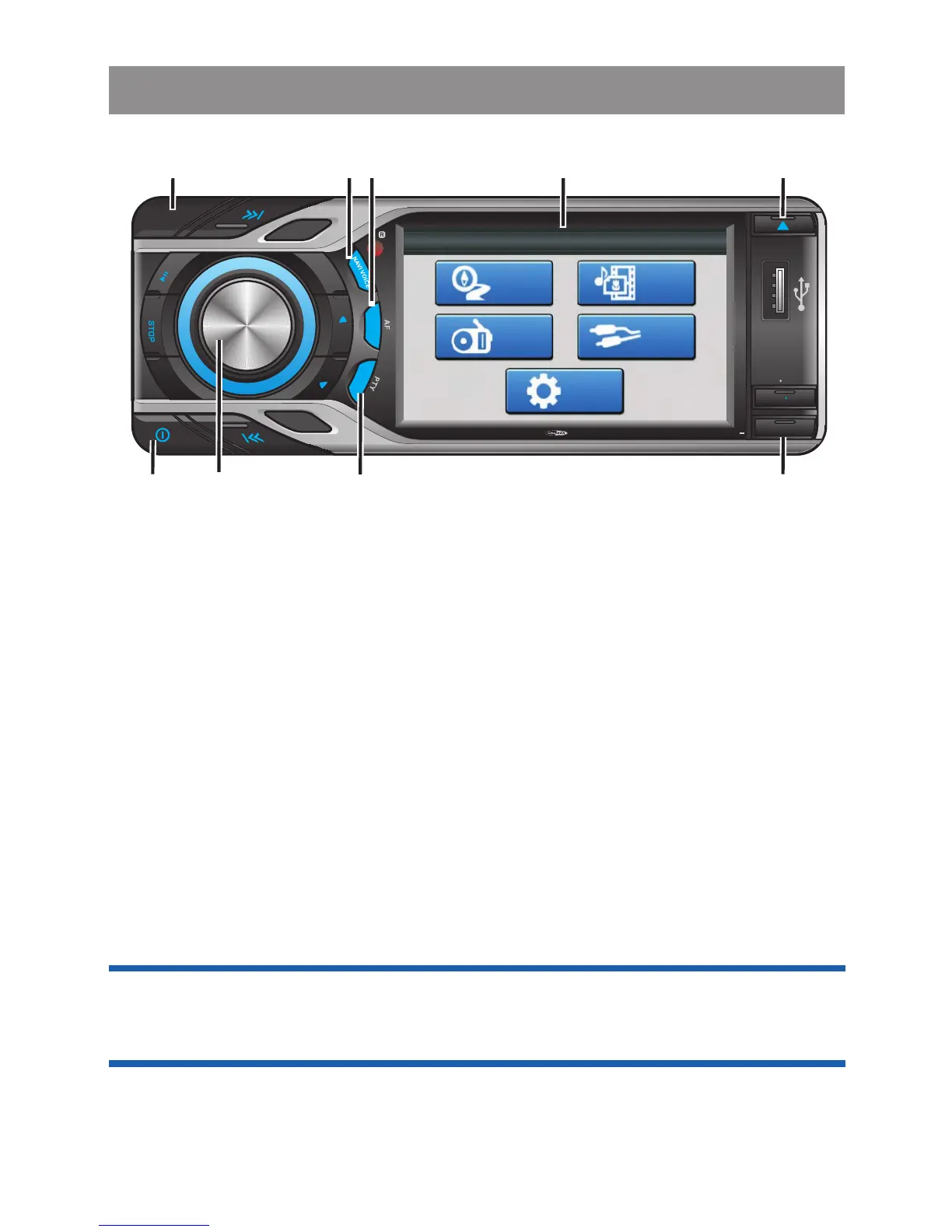
1 Power On / Off Button
Long press the POWER button for more than 3 seconds or short
press any other button on the front of the panel (except the Eject /
Open) to turn on the unit. Long press the POWER button for more
than 3 seconds to turn Off the unit.
1 Mute Button
Short press the MUTE button less than 3 seconds to mute the
audio output and " Mute" will appear on the screen. Press the
mute button again to resume the audio output to the previous
level.
2 Encoder Volume Button
To increase the volume, rotate the volume control knob
clockwise.To decrease the volume, rotate the volume control
knob counter clockwise. When the volume is adjusted, the volume
level will be shown on the screen.
General Operations
Tip: The navigation voice guidance level is adjustable. Please
refer to page "Navigation Operation_Hightlight Features" for
more details.
3 Eject Button
Short press the EJECT button less than 3 seconds to eject the Disc.
S
UBW
LOUD
1
2
3
4
5
6
OSD SET UP
R
PT
RD
M
AS PS
R
L
E
MODE
N
BA D
MUTE
GPS MODE
TA
4x 75WATTMC D 795
4
1
8
2
5
Main Menu
GPS
Tuner
Media
Player
AV-In
Setting
7
69 3



 To Next Page