SUBW
LOUD
1
2
3
4
5
6
OSD SET UP
T
R
P
RD
M
AS PS
L
R
E
MODE
BAND
MUTE
GPS MODE
TA
4x 75WATTMC D 795
1 4
88
7
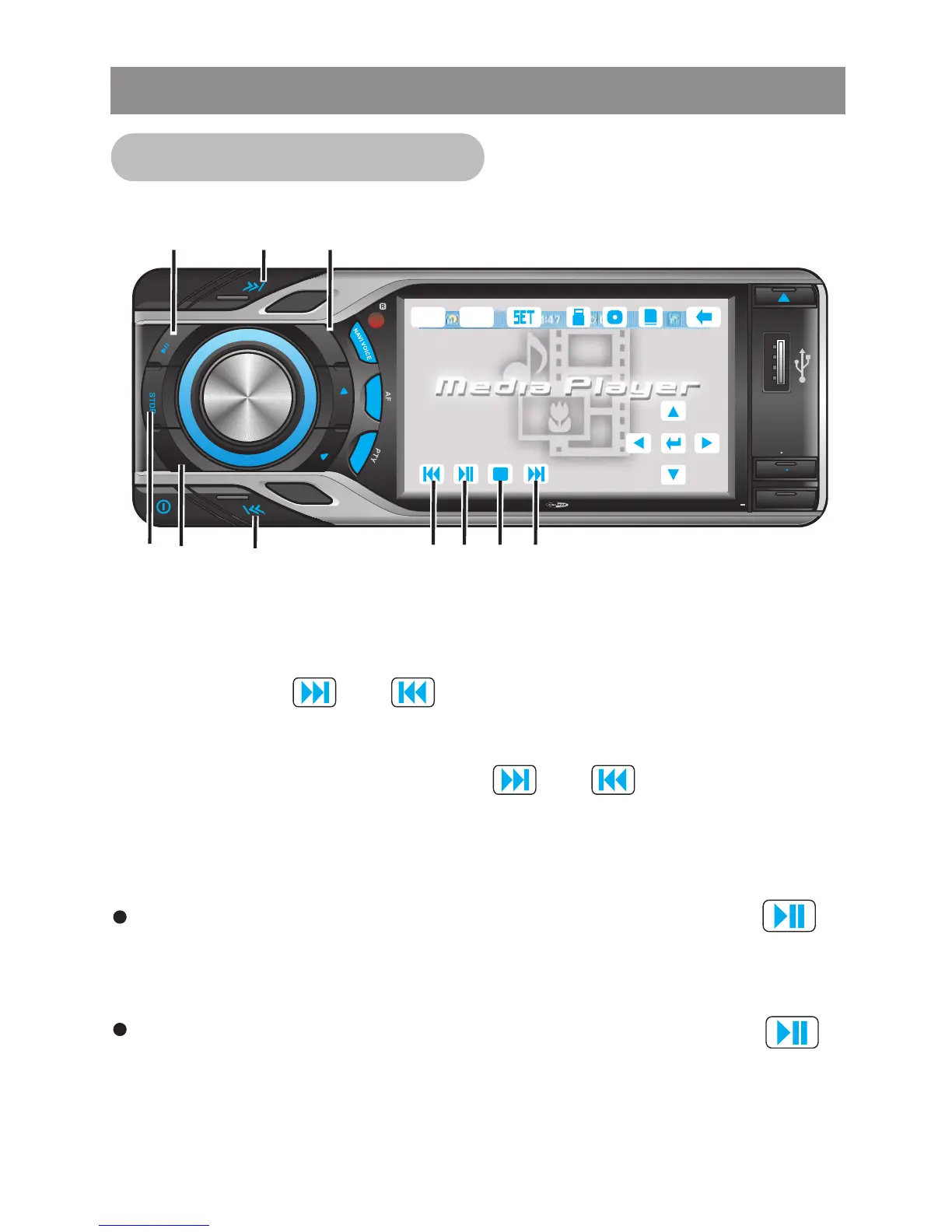
Press PLAY / PAUSE button or tap touch screen button to
start the playback of the disc, During title menu, root menu,
pause, resume stop, stop, slow forward, fast forward, fast
backward mode.
Press PLAY / PAUSE button or tap touch screen button to
pause the playback. Press PLAY / PAUSE again to resume the
playback.
.
1 Pause/ Play Fuction
Press the TRACK / FILE UP (7) / TRACK / FILE DOWN (8) button
or touch screen (7) / (8) for less than 1 second to move to
the next or previous track on the CD. The selected track number
will appear on the screen. Press and Hold TRACK UP (7) / TRACK
DOWN (8) button or touch screen (7) / (8) for more than 1
second to fast forward or fast reverse through the disc. Playback
will resume when the button is released.
Track / File
CD/VCD Disc Operation
Media Player
NAVI
NAVI
VOICE
2 3 1 2 7



 To Next Page