10
1002595 ISSUE 5 M172 VARIHEAT
VARIHEAT AA SYSTEM OWNER INSTALLATION MANUAL
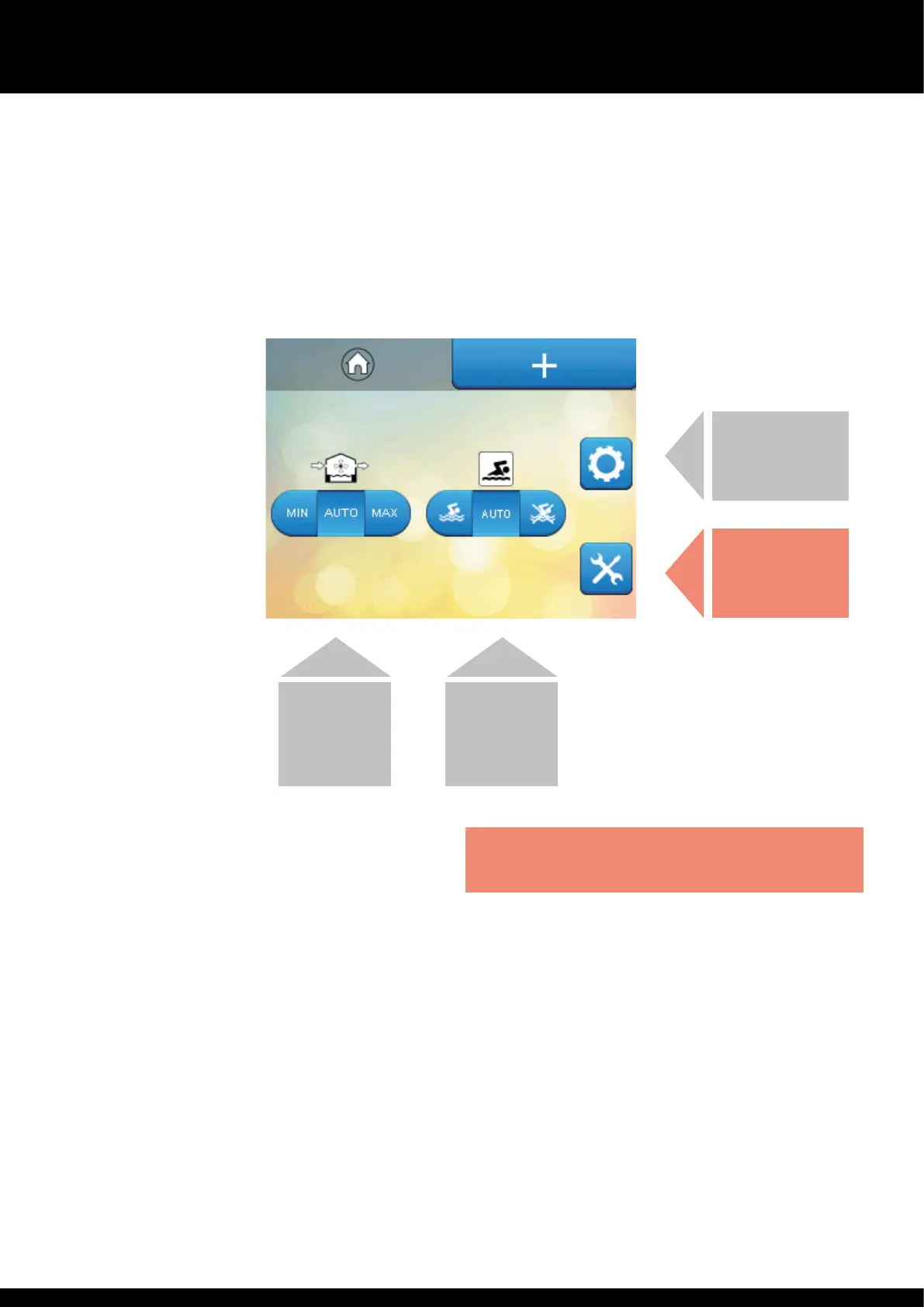
SECOND HOME SCREEN
4. Fresh air setting (where optional fresh air module is fitted)
AUTO (recommended) allows automatic control of fresh air quantity
according to control system settings. MIN allows experienced operators
to override automatic fresh air control and force e minimum fresh air
quantity. MAX allows experienced operators to override automatic fresh
air control and force e maximum fresh air quantity.
5. Occupied/Unoccupied override
Normally set to AUTO, allowing e time clock to control e Occupied
and Unoccupied periods of e Variheat. The le-hand button sets e
Variheat into Occupied mode. The right-hand button sets e Variheat
into Unoccupied mode. If remote control of Occupied/Unoccupied is to be
used, is control should be set to Unoccupied. (See page 12.)
6. User settings
Allows e user to change e settings of e Variheat (user pin code
required to access).
7. Service engineer settings
These settings are for Danerm Group service engineers and are
password protected.
Functions on e second home screen can be modified if allowed by e User
Security Mode settings. (See page 20.)
USER SETTINGS
– PIN CODE
REQUIRED
SERVICE ENGINEER
SETTINGS –
PASSWORD
PROTECTED
FRESH AIR
SETTING
BUTTONS
OCCUPIED/
UNOCCUPIED
OVERRIDE


 To Next Page