45
ENERGY SAVER
Brightness
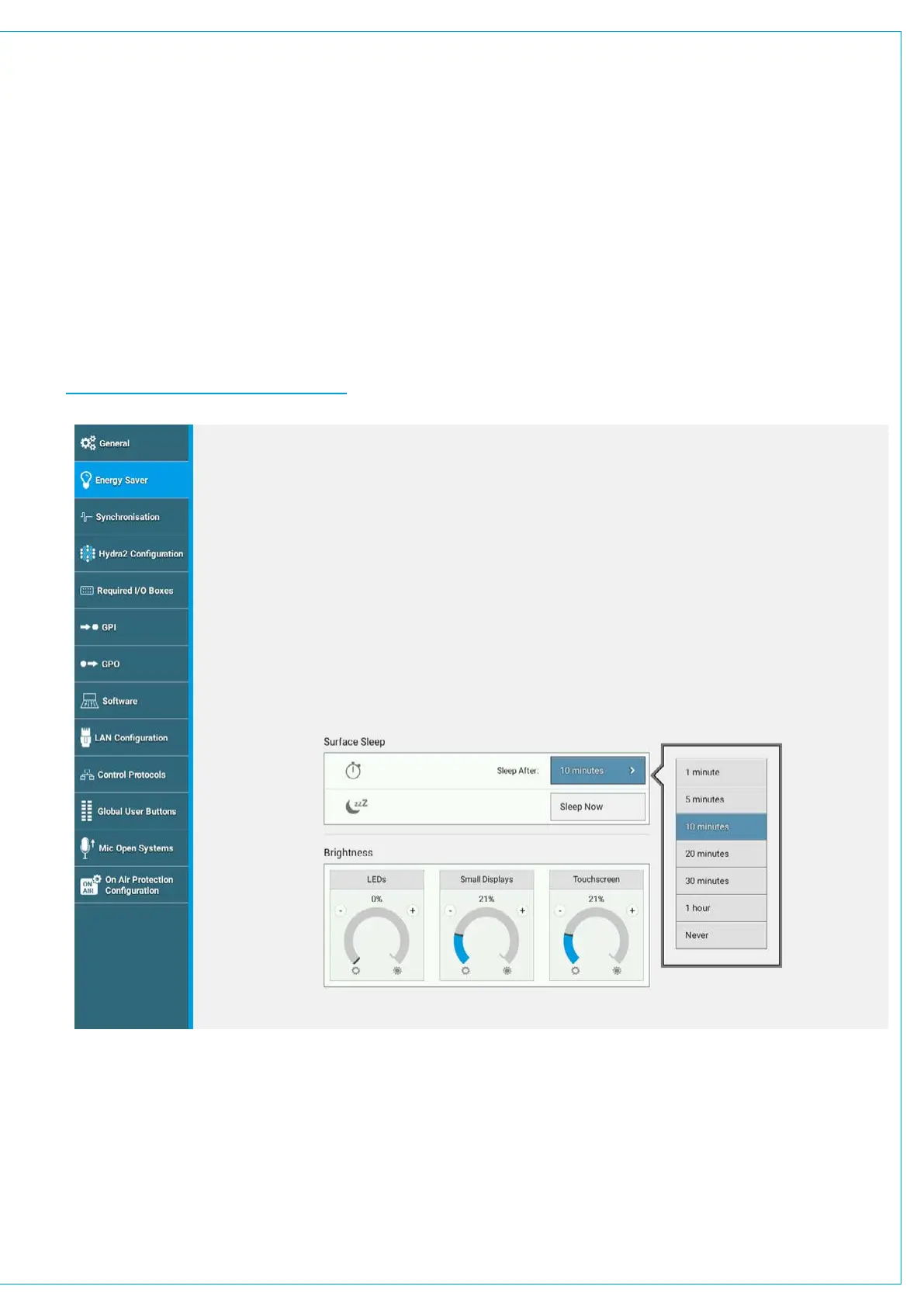
Brio 36’s energy saver settings allow you to control the brightness of all surface buttons and displays. There are three
rotary controls to independently set the brightness of LED’s, small displays, and Touchscreen display. Adjust these rotary
controls to see the relevant brightnesses change.
Surface Sleep
Putting Brio into surface sleep turns off all lights across the surface it has no effect on audio or operation.
Surface sleep can be set to activate after a specified duration of inactivity, ranging from one minute, to an hour.
Alternatively you can select NEVER.
FIGURE 1 - ENERGY SAVER SETTINGS



 To Next Page